

Not rated yet
Creators and Publishers

MinecraftStorage
PublisherAdditional Links
You may find some useful information by following these links

https://modrinth.com/mod/beryl
Share this post


Beryl Mod
A shader pipeline that utilizes VulkanMod to provide the beauty of shaders with little to no impact on game performance.
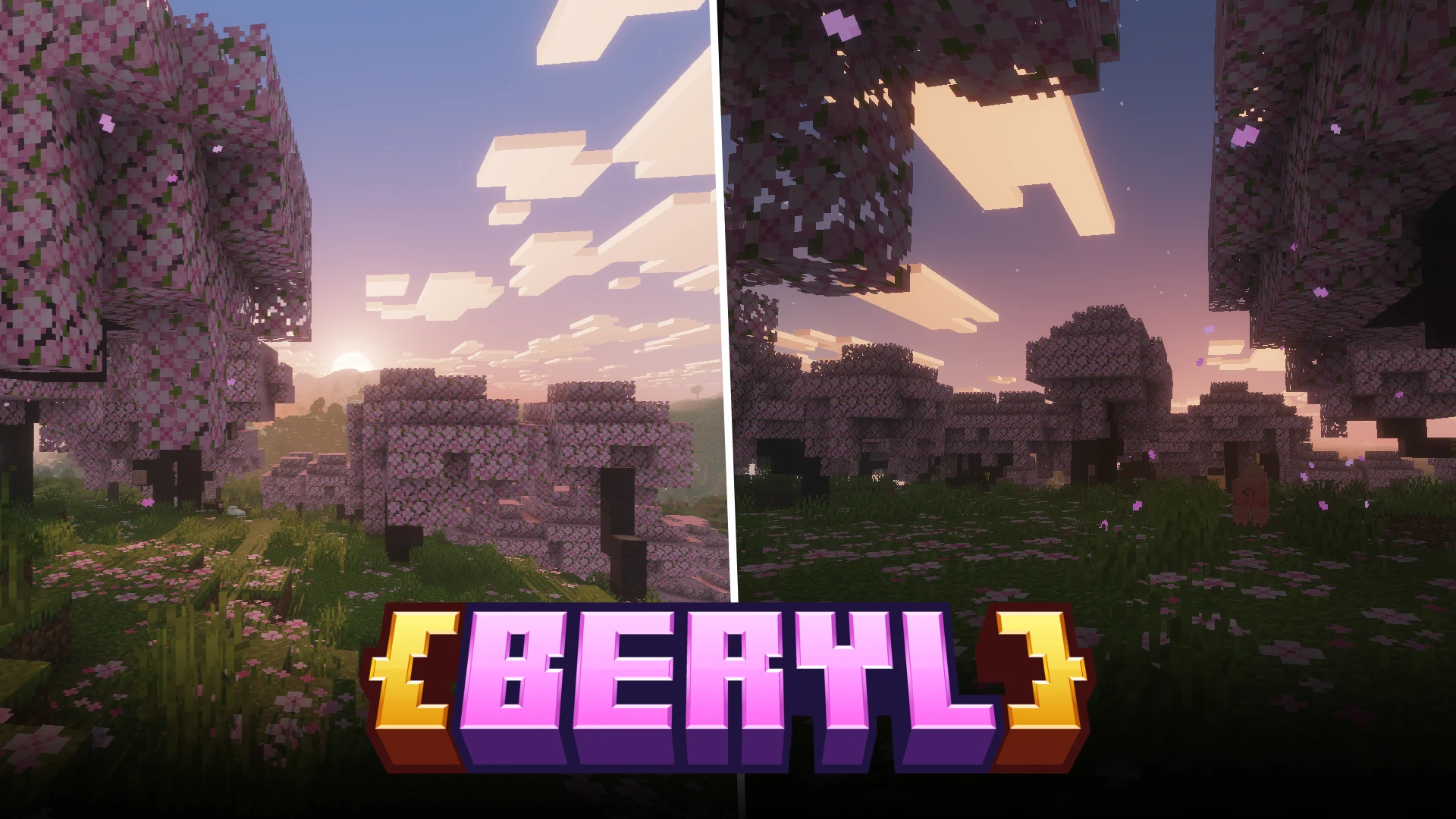


Beryl is a new Vulkan-based, optimized shader pipeline designed to enhance graphics with low performance impact. Almost all other shader packs and shader loaders utilize Minecraft's default OpenGL engine to run shaders, but this mod uses Vulkan.

Beryl comes with an integrated shader pack. You need not install external shader packs to unlock the beauty of shaders in your game. As it ships with an integrated shader pack, it has full control over the rendering pipeline and this allows for better optimization.
Integrated Shader
The above slider compares the vanilla visuals against Beryl's integrated shader. You can clearly observe light effects at play and features like reflective water, bloom and shadows. Let us take a look at these features in detail.
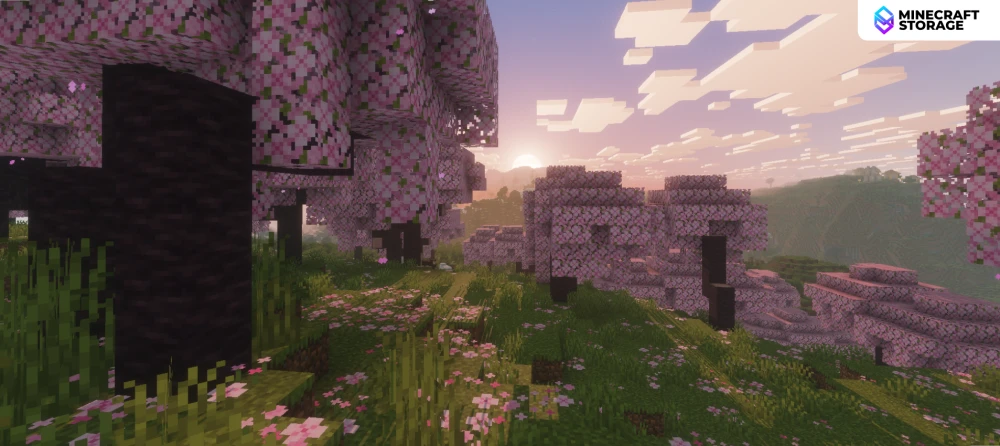
Lighting Effects
Reactive lighting and related effects
In the above scene, as the sun lowers below the horizon, several light effects can be observed. This is a scene where light falls at a sharp angle, causing terrain features to cast long shadows. A distant fog effect can also be seen. As night falls, you will notice stars appearing in the sky.
Beryl Settings
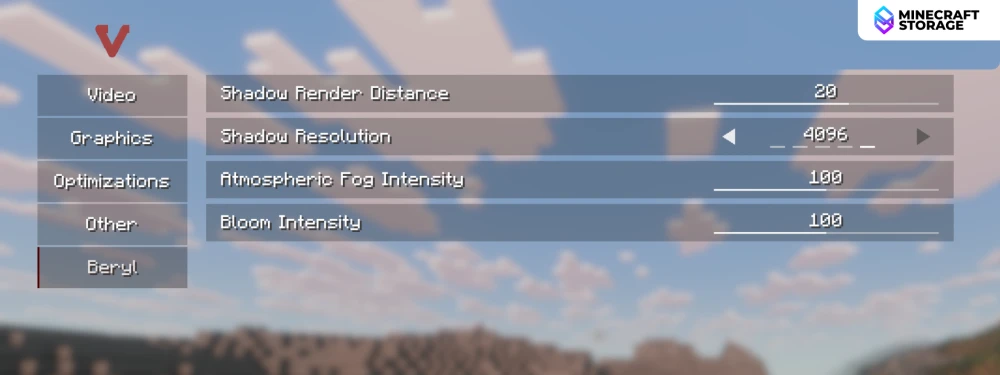
Beryl comes with a settings tab of its own. There are options to adjust the shadow render distance, shadow resolution, fog and bloom intensities. We will compare different values of some of these features later in this article.
Vulkan Settings
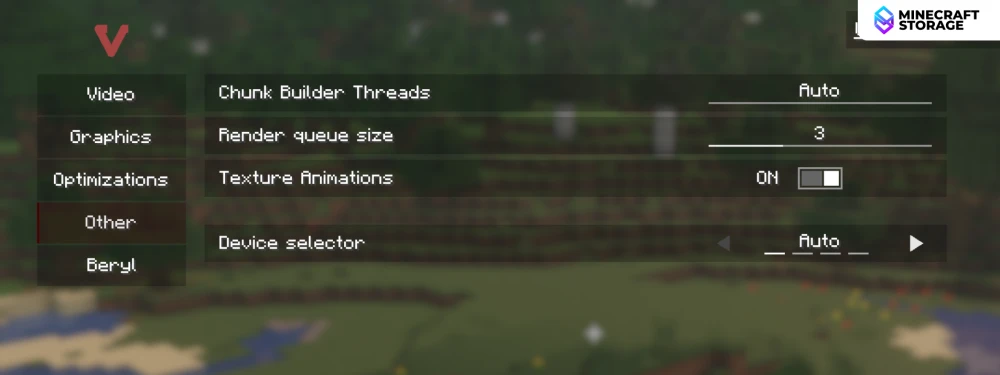
As Beryl requires VulkanMod to be installed alongside, you will have access to Vulkan settings too. Some Vulkan exclusive settings like the "Device Selector" will allow you to fine-tune your performance. This setting allows you to select the GPU on which Vulkan (and hence Beryl) runs on.
Shadow Resolution
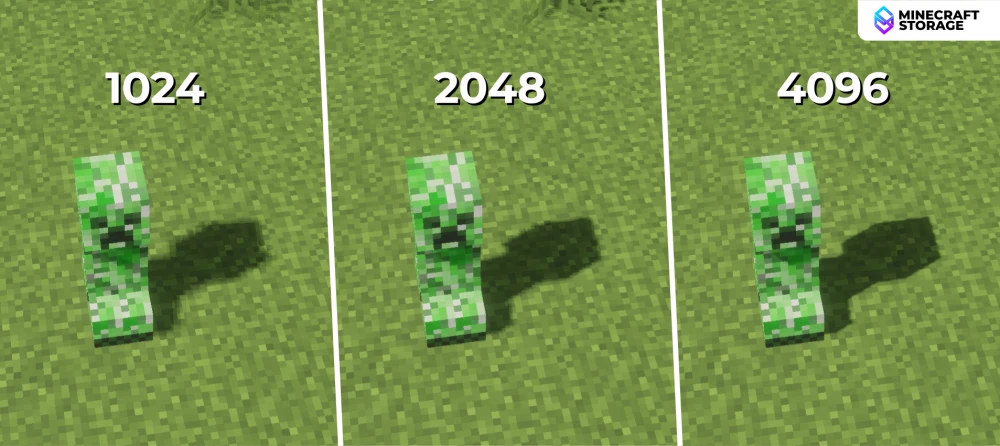
In the above image, you can compare the different shadow resolutions that can be tweaked via Beryl settings. 1024 is the lowest setting, while 4096 is the highest, which makes the shadows sharper and more crispier. There are other intermediate settings that allows you to fine-tune the shadows.
Atmospheric Fog
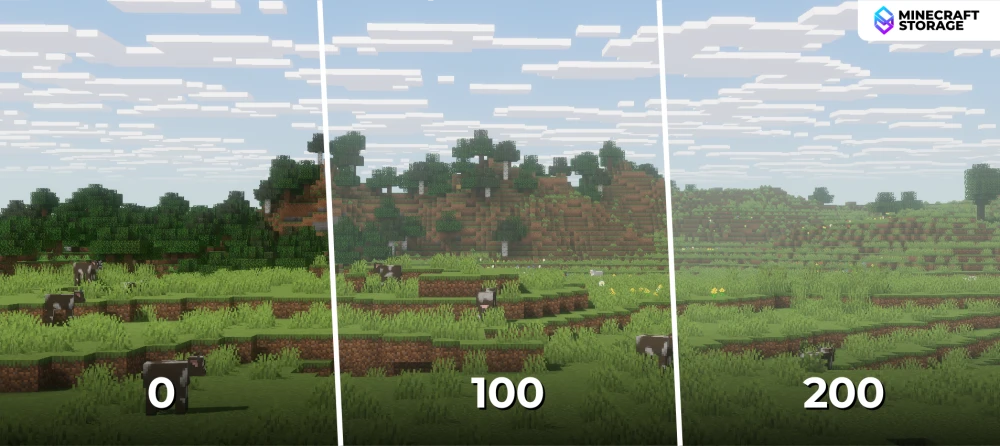
The intensity of the atmospheric fog can be tweaked using a slider that ranges from 0 to 200. An intensity of 0 basically means that fog is disabled. The above image compares some values of atmospheric fog intensities.
Day and Night
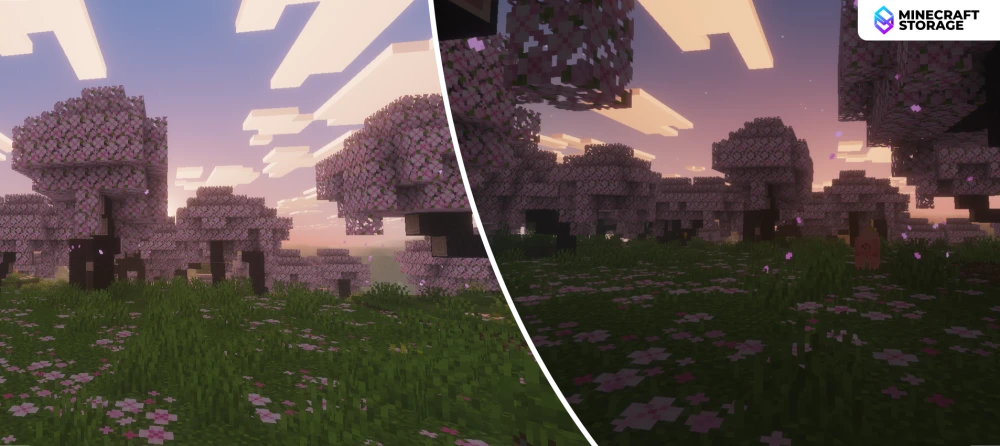
Day-time with Beryl is very bright and saturated. If you feel like the day-time lighting is too bright, you can lower the bloom effect using the slider provided in the Beryl settings tab. At night-time, the sky is filled with stars. The world in general becomes very dark. You can also notice how the village houses over are hill are lighted up.
Performance
Performance
The real question
Performance wise, Beryl beats any other shader loader out there. If your PC can smoothly run vanilla Minecraft with no shaders installed, you must be able to run Beryl shaders smoothly too. On our testing that was performed on an AMD Radeon RX6500M GPU, the game ran smoothly between 150-170 FPS on the highest settings.
Beryl is a very new mod. The mod is in continuous development and we can expect new features and further optimization in the future. The download links provided in the Downloads tab will take you to the official download sources of the mod.
What's Next

