


Not rated yet
Dragon Mounts Legacy Mod
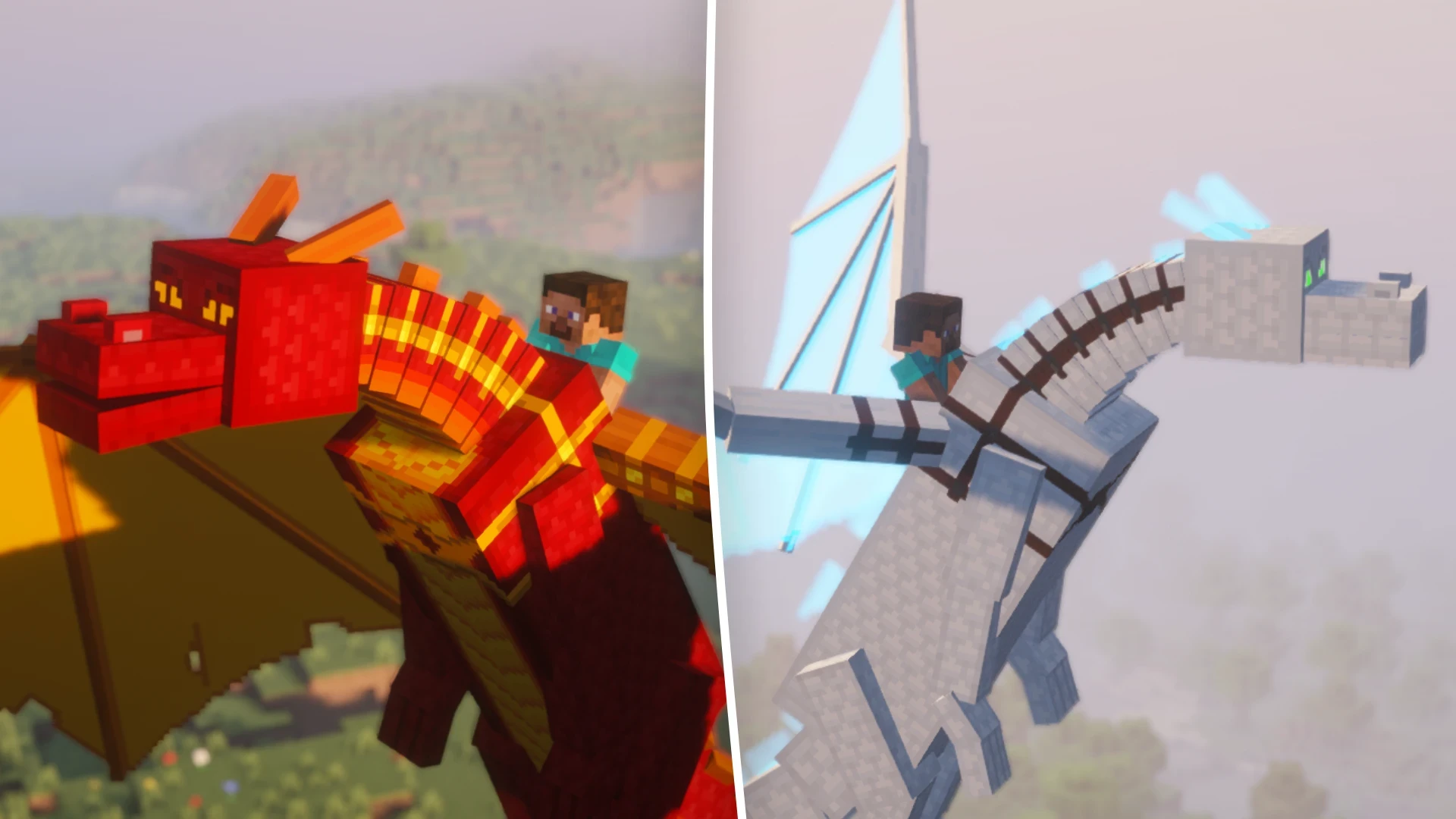
Hatch, tame, and ride dragons with unique abilities like fire-breathing and teleportation for enhanced adventures
Creators and Publishers

Einstine Pc
PublisherAdditional Links
You may find some useful information by following these links

https://www.curseforge.com/minecraft/mc-mods/dragon-mounts-legacy/
Share this post


Tags
Let us now take a detailed look at how you can utilize this mod. We will cover everything from transforming a dragon egg to your preferred variant, to taming and riding your own dragon.
Obtaining an Egg
The first step is to obtain a dragon egg. Once you defeat the Ender Dragon, an egg will appear on the central End portal. Collect it and make your way back to the overworld.
How to Transform Dragon Eggs?
Once you obtain a dragon egg, you can convert it to any of the eight egg variants available. Different egg variants have different transformation processes. Let us take a look at all of them in detail.
Forest Dragon
Forest Dragon
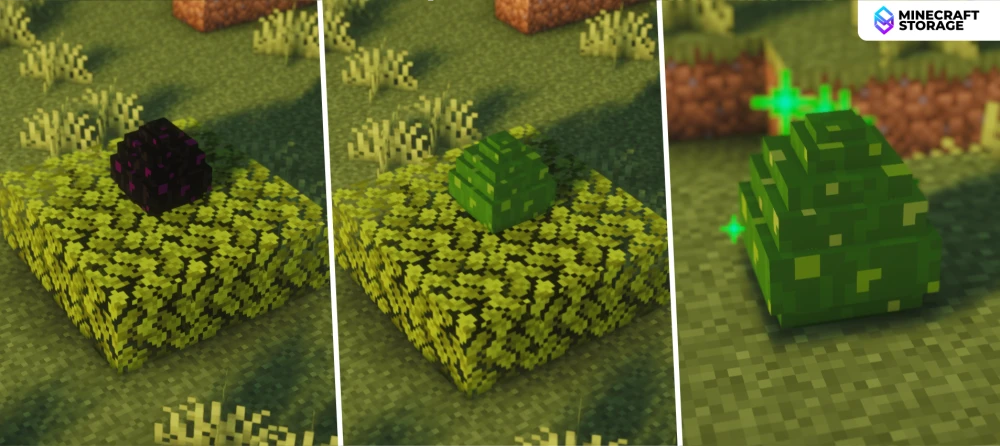
Place the egg on leaf blocks
To obtain a forest dragon egg, place the dragon egg on leaf blocks. After a while, the egg will get converted into a forest dragon egg variant, noticeable by the change in appearance. Once the egg is converted, you can right-click on it to begin the hatching process. This will take 10-35 minutes, depending on the mod version.
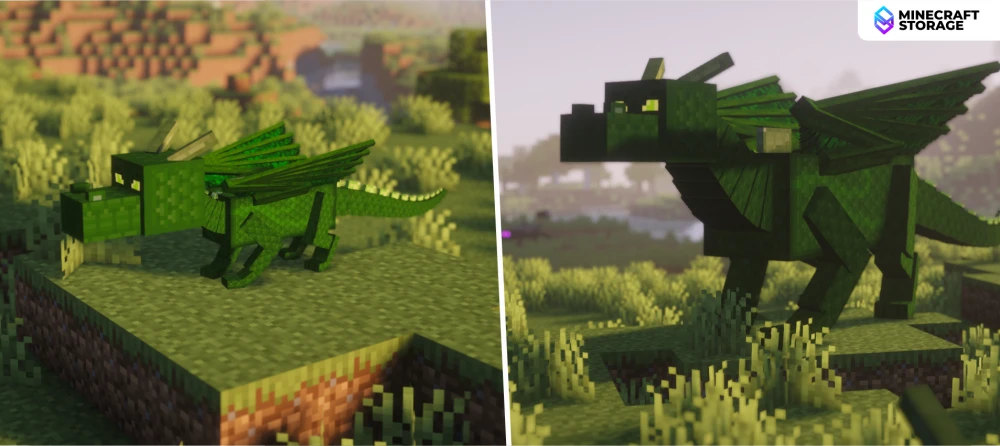
Once hatched, a baby forest dragon will spawn. This baby dragon will then grow into an larger adult Forest Dragon. This dragon has a unique green appearance, which will help camouflage in green biomes.
Fire Dragon
Fire Dragon
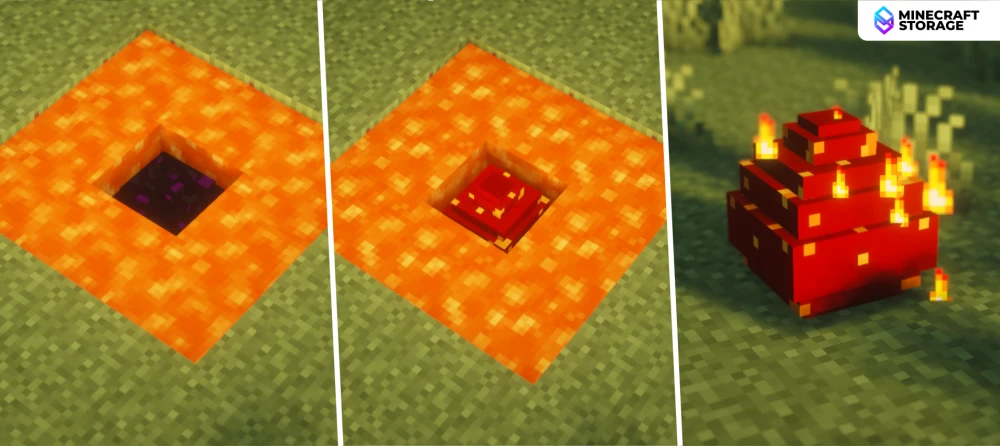
Place the egg in lava or on magma blocks
To obtain a fire dragon egg, place the dragon egg in lava or on magma blocks. After a while, the egg will get converted into a fire dragon egg variant. Just like with the other egg variants, you can right-click on it to begin the hatching process.
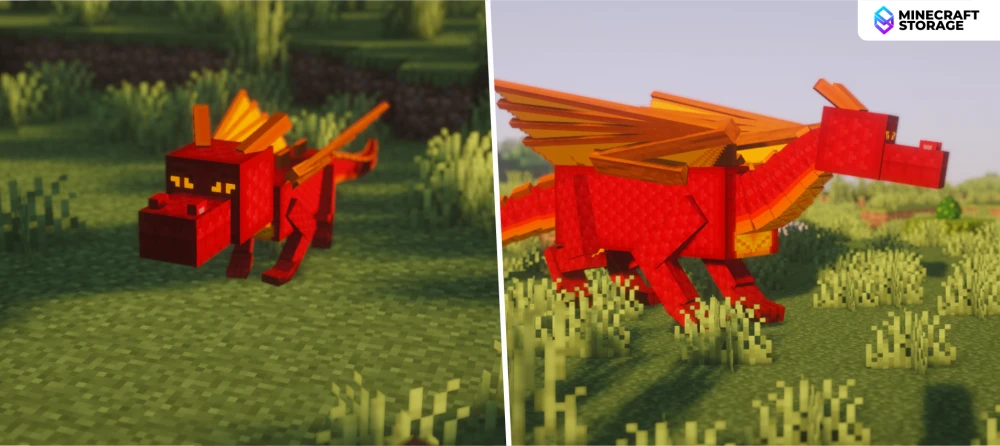
The baby dragon, once hatched, will gradually grow into a larger adult fire dragon. This dragon has a red/orange appearance, as shown in the image above. This dragon variant is immune to fire damage.
Ice Dragon
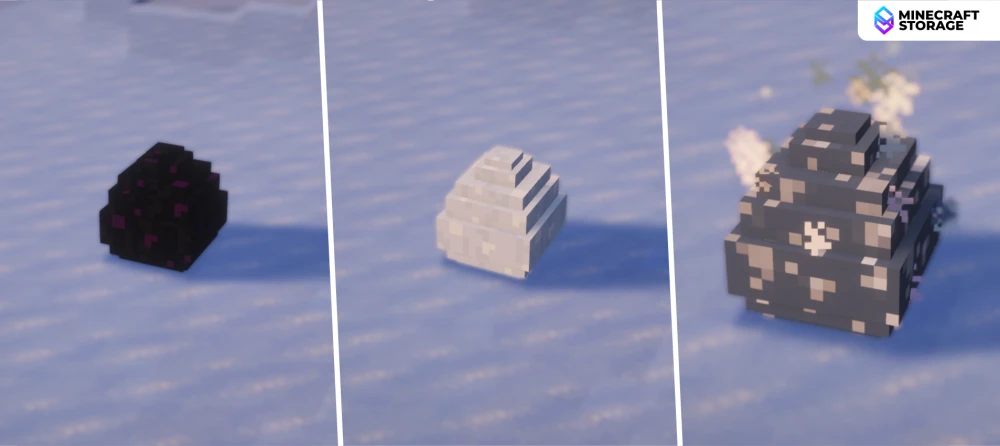
Ice Dragon
Place the egg on ice blocks
The egg transformation process is the same, but the egg has to be placed on ice blocks. Once converted, right click on the egg to begin the hatching process.
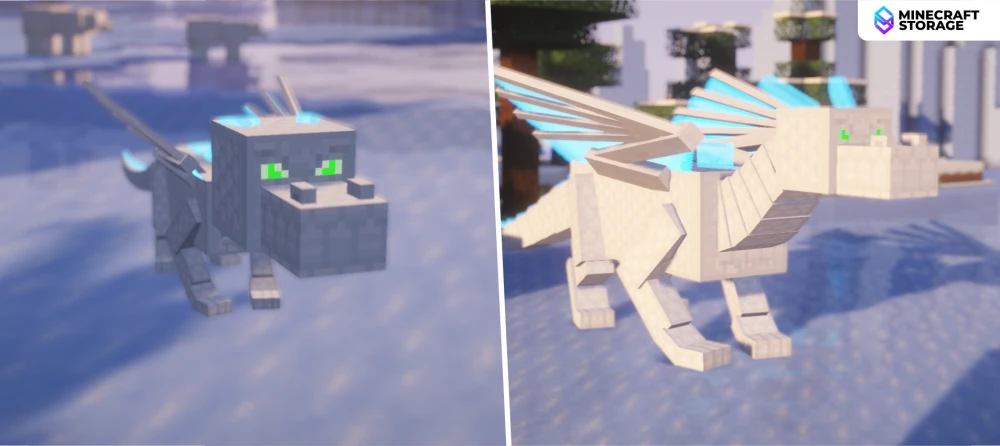
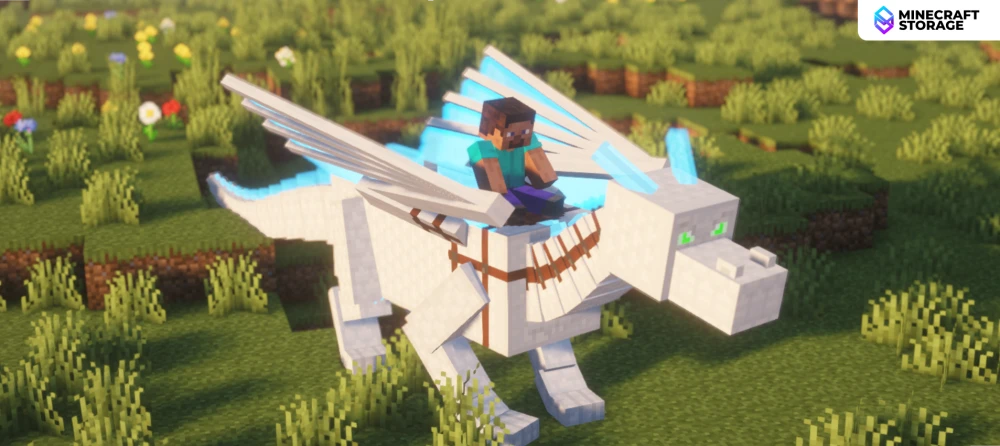
The ice dragon has a majestic looking white-blue appearance, which makes it one of the most beautiful dragons added by the mod. This dragon has the ability to convert any water beneath it into ice blocks.
Water Dragon
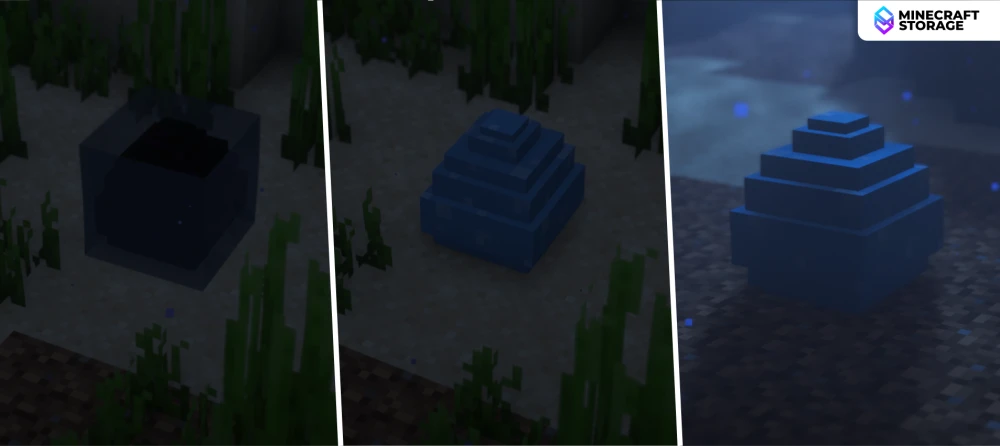
Water Dragon
Place the egg underwater
Place the dragon egg submerged in water, in order to convert it into a water dragon egg. Ideally, place the egg on a river-bed or under the sea.
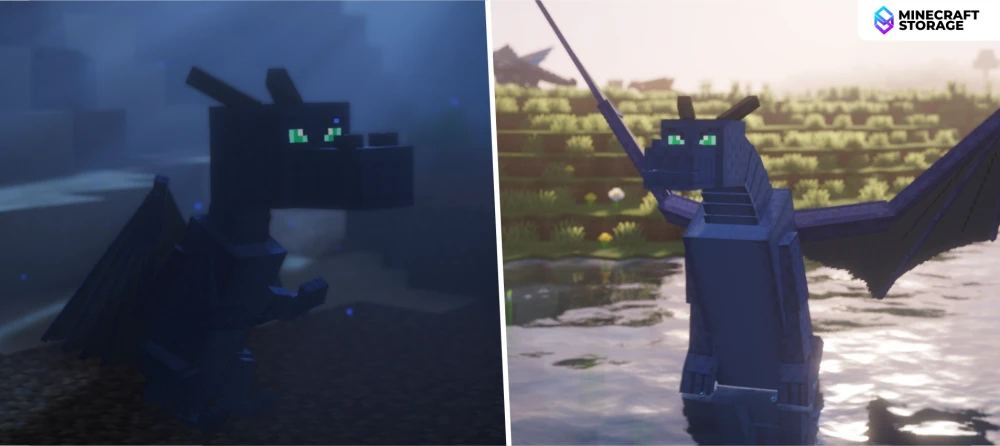
This dragon, although being an inhabitant of the sea, can still soar the skies. They are immune to water, and has the ability to swim.
Nether Dragon
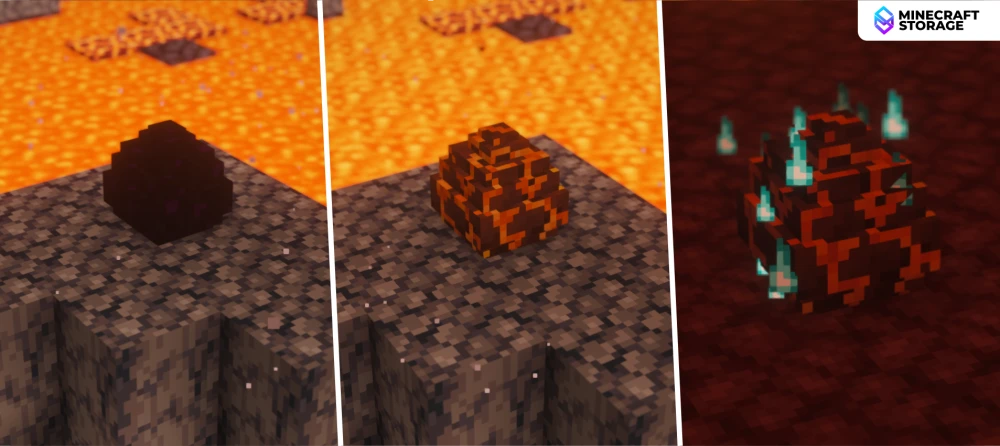
Nether Dragon
Place the egg on basalt or blacstone blocks
To obtain a Nether dragon egg, place the egg on a platform of basalt blocks or blackstone blocks. Once again, right-click after the transformation to begin the hatching process.
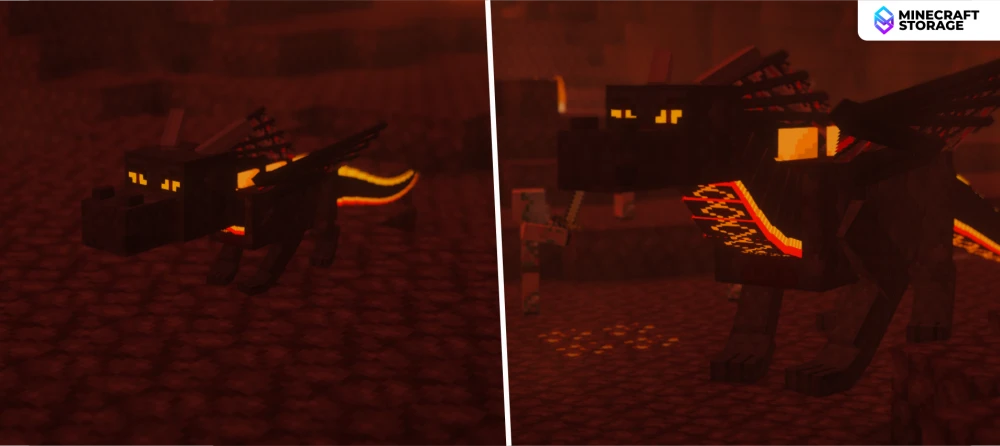
This dragon has a dark red appearance with glowing detail on them. Just like the fire dragon, the Nether dragon too is immune to fire damage.
Aether Dragon
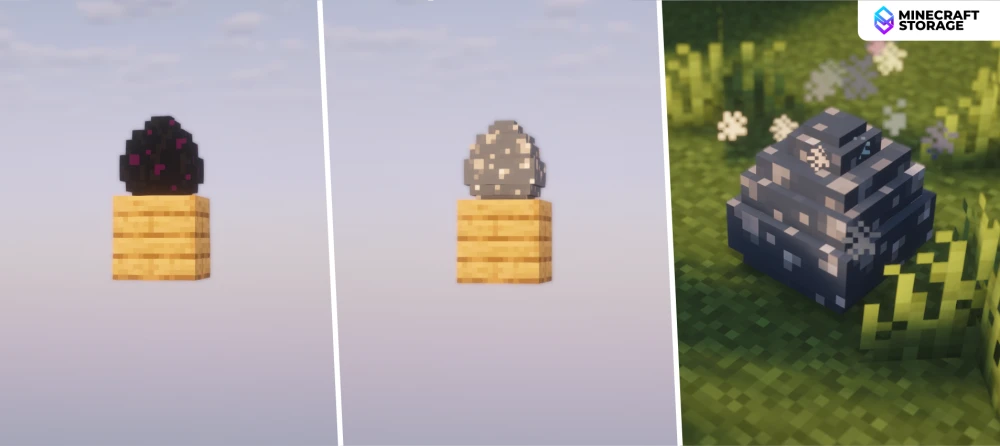
Aether Dragon
Place the egg above y-level 200
To convert a dragon egg into an Aether dragon egg, place the egg above a y-level of 200. Once converter, right-click to begin hatching.
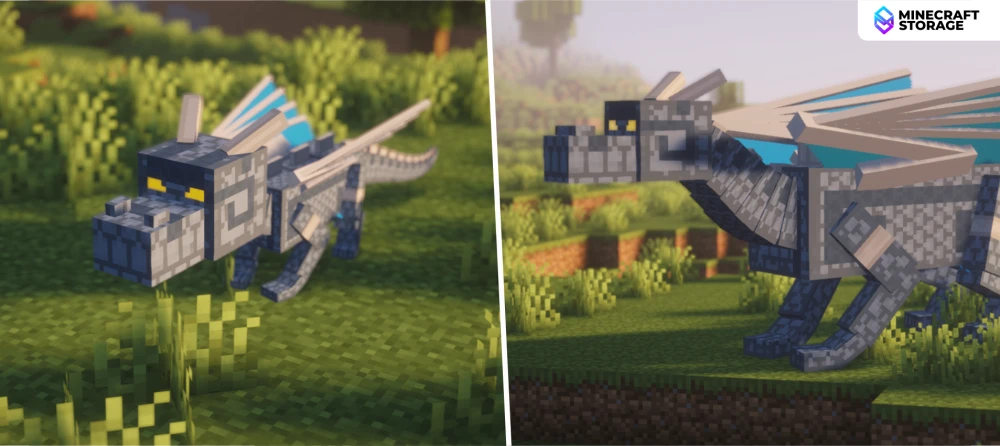
The perk of using this dragon is that it flies faster than all other dragon variants.
Ghost Dragon
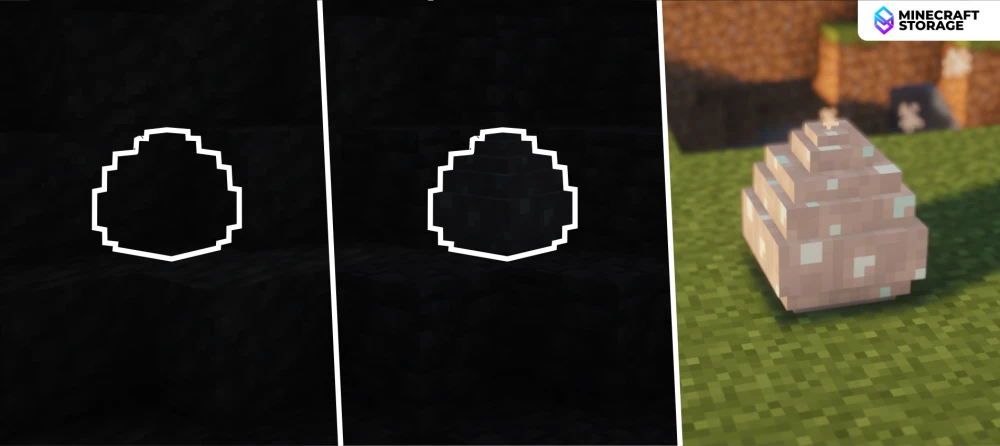
Ghost Dragon
Place the egg below y-level 0 in total darkness
Place the dragon somewhere below y-level 0 in complete darkness. The light-level has to be zero. Once transformed, right-click to begin hatching.
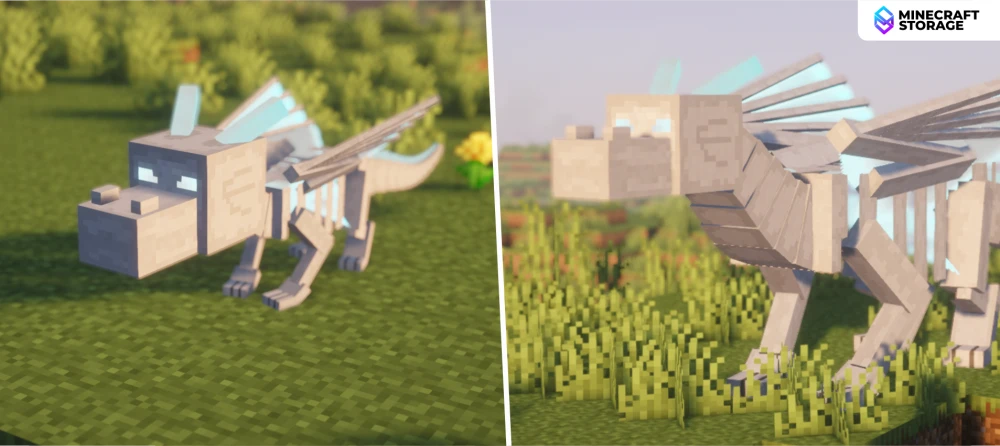
This dragon has glowing eyes that are visible even at night-time.
Ender Dragon
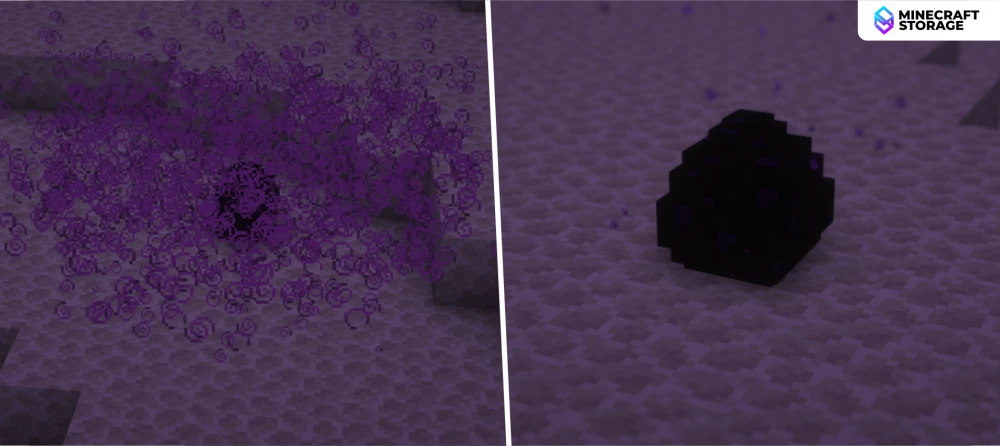
Ender Dragon
Place the egg in dragon breathe
Making a regular Ender dragon egg hatch, still requires a transformation process. Place the dragon egg in a pool of dragon breath to make it hatchable. Right-click to begin the hatching process.
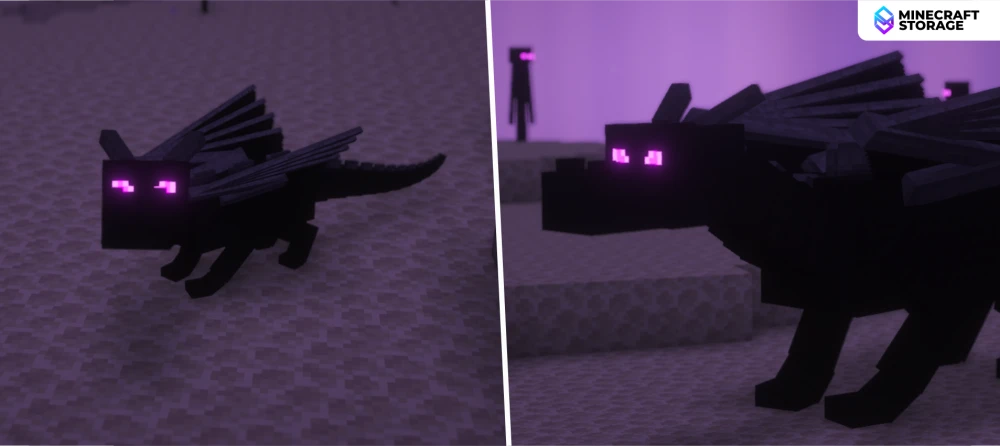
Inspired by the vanilla Ender dragon.
How to Tame and Grow a Dragon?
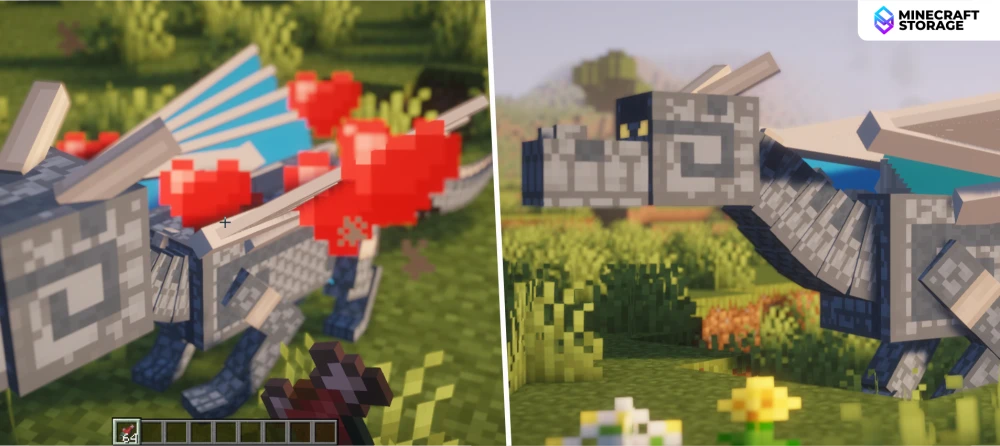
Taming a Dragon
Feed raw fish to tame and grow dragons
Feed a dragon raw fish to tame it. Hold raw fish in your hand and right-click on the dragon until heart particles appear to tame the dragon. Once done, you can still continue feeding the dragon to accelerate its growth.
How to Ride a Dragon?
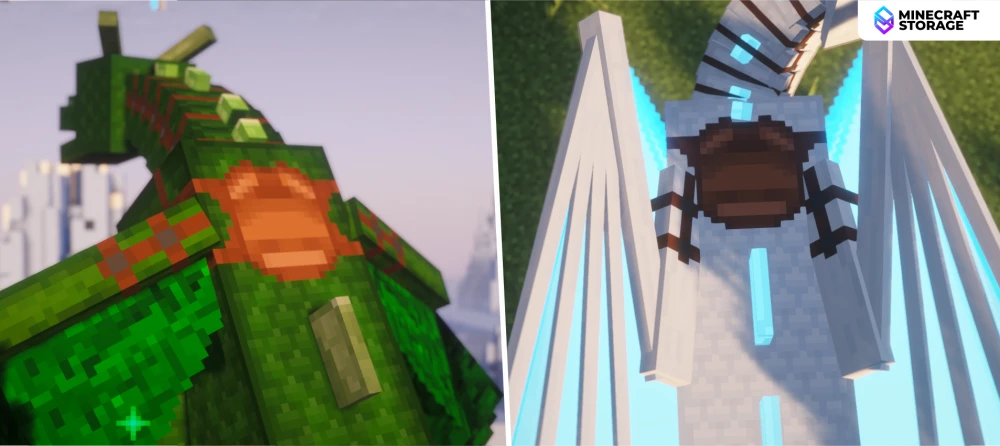
Riding a Dragon
Equip the dragon with a saddle
Right-click on a dragon with a saddle. Once the saddle is equipped onto the dragon, right-click to sit on the dragon. The steps for controlling the dragon are given below. The default keybinds are specified here. You can always change the keybinds by accessing the keybind settings.
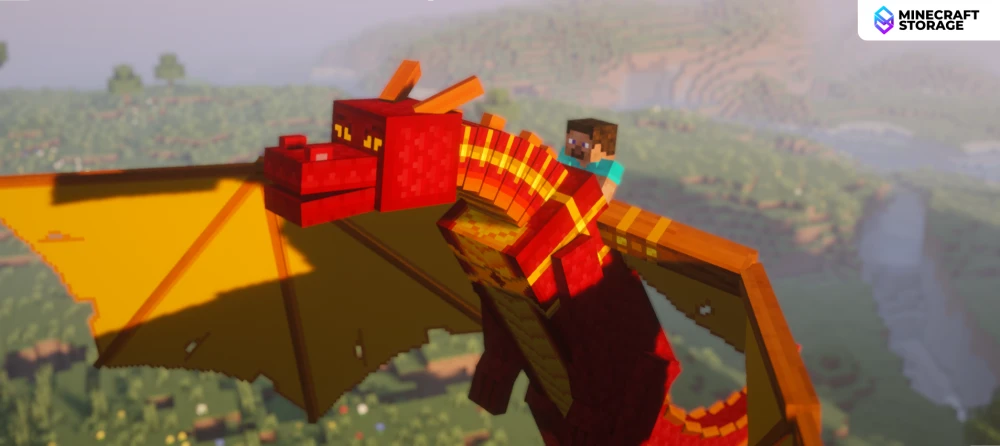
Soaring High
Press spacebar to fly upwards
Press spacebar to take-off. Pressing and holding the spacebar will allow you to make the dragon fly vertically upwards. Press the W key to make the dragon fly forward. The horizontal direction of flight depends on the direction the player is looking at.
Landing on the Ground
Press the Y-key to safely land
To make the dragon fly straight down, press and hold the Y key. Once the dragon reaches the ground, it will land safely with no issues. Press the shift key (or crouch keybind) to dismount the dragon.
This guide has covered in detail all the information required to obtain eggs, transform and hatch them. The guide also covers how you can tame, raise, and ride a dragon. If you have any queries, feel free to drop a comment.
