


Not rated yet
Ripple Shaders
Enjoy enhanced visuals with volumetric clouds, realistic water, cinematic godrays, glowing ores, and vibrant skies across every dimension.
Creators and Publishers

MinecraftStorage
PublisherAdditional Links
You may find some useful information by following these links

https://www.curseforge.com/minecraft/shaders/ripple-shaders
Share this post


Ripple Shaders brings a more atmospheric look to Minecraft, combining reflective water, dramatic skies, and bright emissive details with the game’s familiar blocky landscapes. Forests gain depth through sunlight and shadow, while nighttime scenes and other dimensions develop their own distinct moods. Built on Sundial Lite, the pack brings together cinematic lighting and glowing ores.
Volumetric Clouds That Add Depth to Minecraft’s Sky
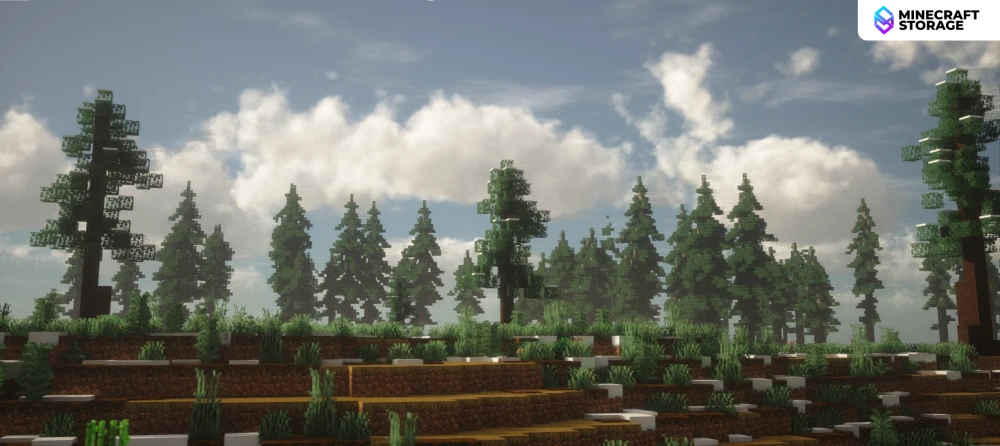
Volumetric clouds give Ripple Shaders much of its visual character, filling the sky with billowing formations that feel substantial above the terrain. Their bright edges and shaded interiors add depth, making open landscapes feel larger without changing the blocks beneath them. For players looking for Minecraft shaders with realistic clouds, this is especially effective around forests, lakes, and mountain viewpoints.
Daytime, Noon and Sunset Atmospherics
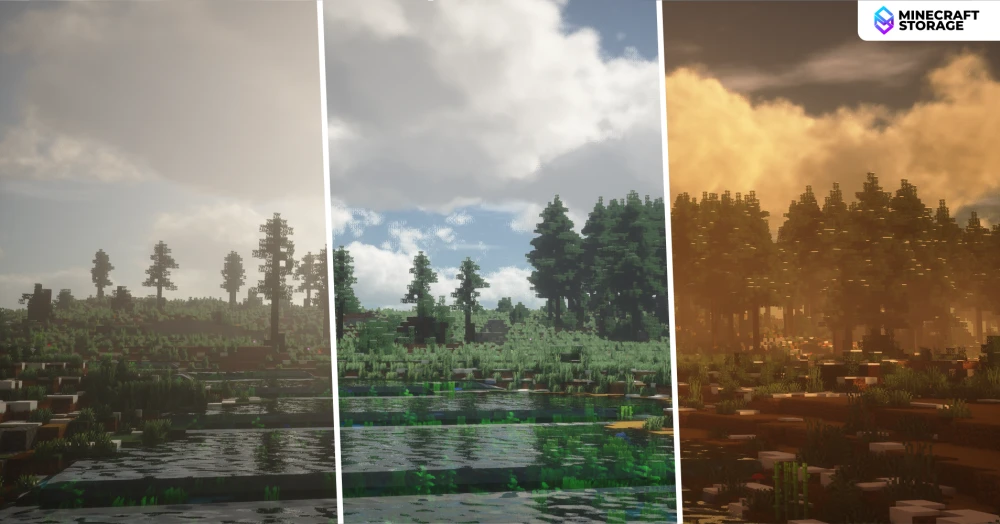
Ripple Shaders gives different times of day a noticeably different atmosphere, so exploring the same location can feel fresh as the light changes. Clear daylight brings out green foliage and blue skies, while the noon view has a brighter, hazier appearance around the sun. Sunset shifts the landscape toward amber and gold, carrying warm light across the clouds, trees, and water. That variation makes the pack particularly appealing for survival worlds where the changing day is part of the experience.
Cinematic Godrays Through Trees
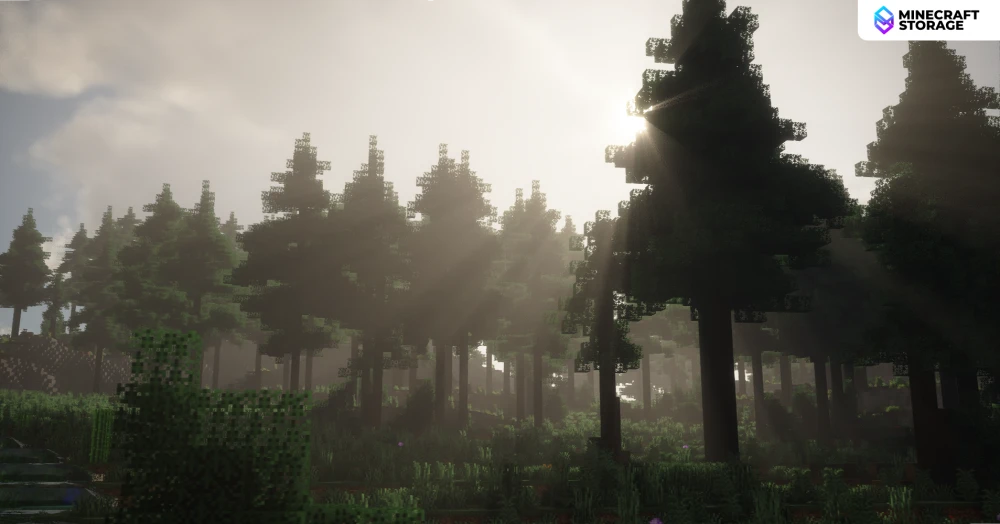
Sunlight becomes more dramatic when trees partially obscure the sun, creating visible godrays between trunks and branches. These beams add depth to woodland scenes by separating dark foreground foliage from the brighter haze beyond it. For forest paths, secluded cabins, and scenic exploration routes, the effect makes lighting an important part of the setting rather than simply a way to brighten the terrain.
Realistic Water with Reflections and Clear Shallows
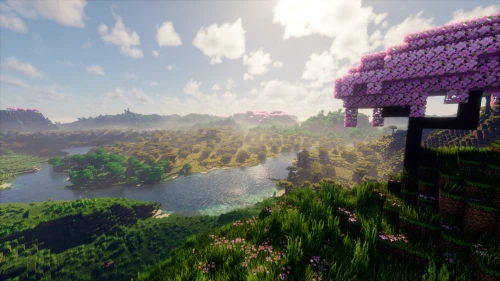
Players searching for Minecraft shaders with realistic water will find a striking change in Ripple Shaders’ lakes and rivers. The water comparison shows a reflective, rippled surface that catches the bright sky while still revealing plants and terrain beneath the shallows. This balance of reflection and transparency gives shorelines more depth than a uniformly blue surface. Waterfront houses, bridges, and riverside settlements can benefit from that extra visual detail without needing elaborate construction.
Voxy Compatibility for Expansive Landscapes
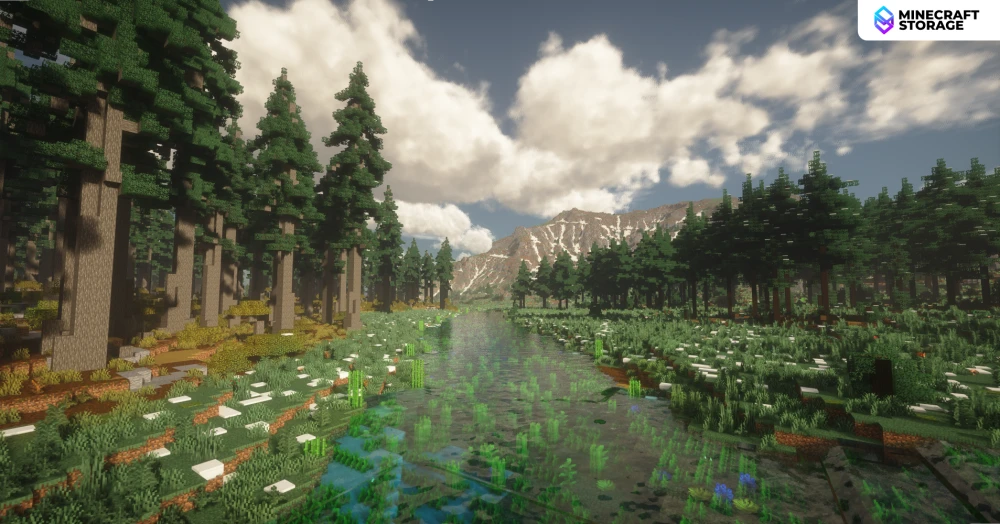
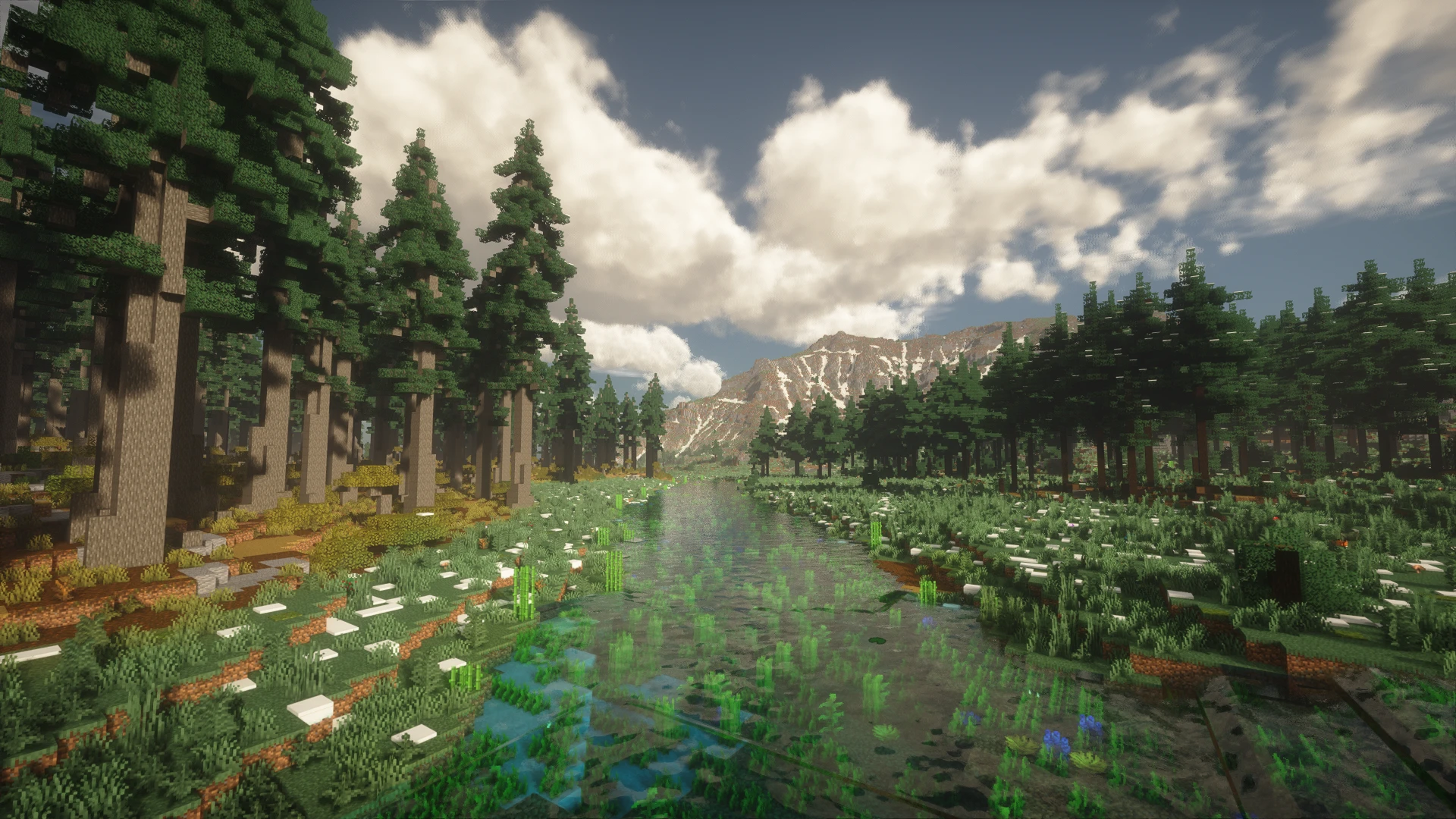
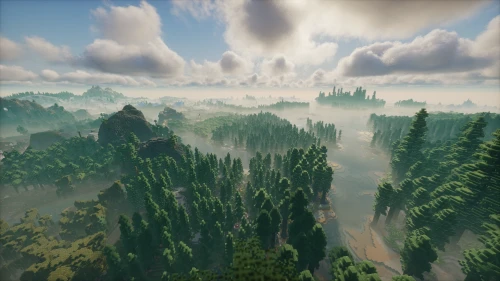
The image above shows Ripple Shaders working in a setup with broad forest views and distant mountain scenery. This is possible only by using LoD mods like Voxy, which allows you to enjoy the game with massive render distances. Nearby water and vegetation provide detail, while the distant terrain gives the scene a stronger sense of scale. These views demonstrate the pairing in the showcased setup, rather than establishing compatibility across every mod version or configuration.
We used Voxy and Voxy WorldGen mods to capture the above screenshot. Using Voxy WorldGen alongside Voxy is highly recommended for faster LoD loading.
PBR Material Detail for Close-Up Views
The PBR comparison highlights a subtler side of Ripple Shaders, where surface shading matters as much as dramatic skies. Differences around the grass and snow give the ground a less uniform appearance, adding definition while preserving Minecraft’s pixelated textures. For players interested in Minecraft PBR shaders, this kind of detail is most noticeable along paths, around gardens, and in close-up building shots. The effect shown here is restrained, so it works as a finishing touch rather than dominating the scene.
We used the CoffeePBR texture for capturing the above image.
Night Skies with Bright Stars and Golden Horizons
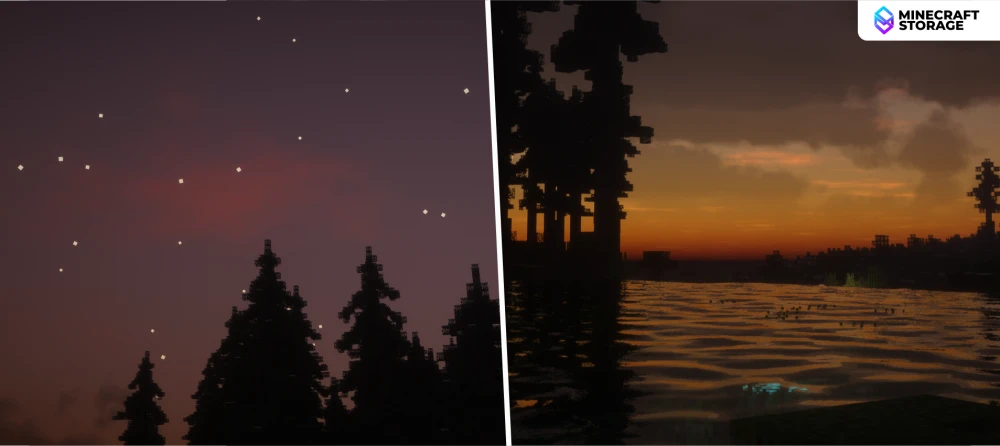
As daylight fades, Ripple Shaders carries warm golden color along the horizon before giving way to a darker, star-filled sky. Bright stars stand out above silhouetted trees, while clouds remain visible enough to keep the sky from feeling empty. Reflections extend the evening colors across nearby water, making lakeside viewpoints especially atmospheric. The result gives players a reason to enjoy their Minecraft world after sunset as well as during the day.
Glowing Details That Bring Nighttime Scenes to Life
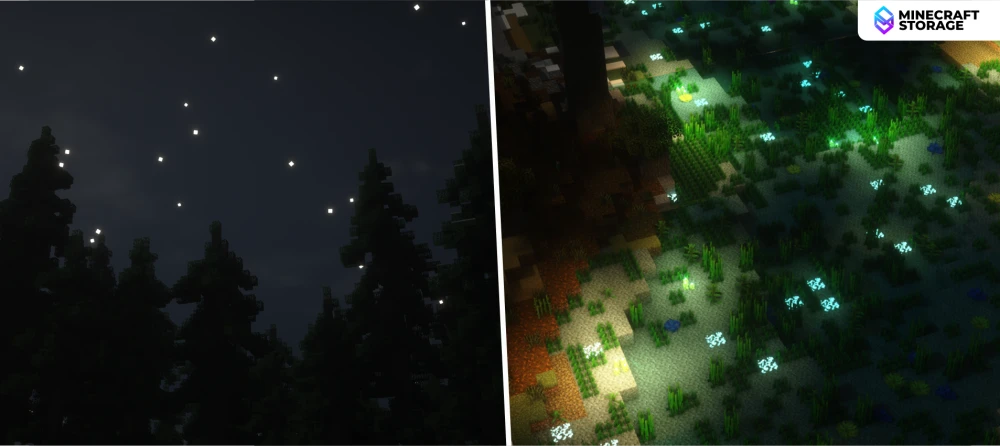
Nighttime also reveals small luminous details that are less prominent under daylight. In the forest scene, cyan and green highlights punctuate the underwater vegetation, while warmer lights draw attention to sections of the river. That contrast creates a magical atmosphere without making the entire scenery equally bright. For fantasy gardens and woodland builds, these glowing accents can make the surrounding landscape feel like part of the design.
Glowing Ores for More Distinctive Mining Scenes
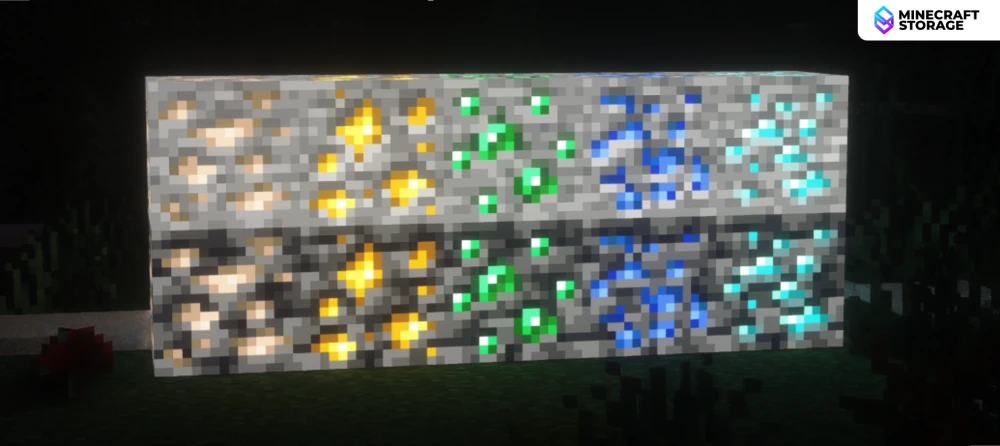
Ripple Shaders makes exposed ores stand out with bright mineral flecks against their darker stone backgrounds. The ore display shows recognizable gold, green, blue, and cyan highlights across both stone and deepslate examples, giving different resources a stronger visual identity. For players searching for Minecraft shaders with glowing ores, this is one of the pack’s clearest features. It also creates opportunities for decorative mine entrances, ore displays, and underground builds where the minerals themselves become visual focal points.
Nether Lighting with Intense Lava and Deep Shadows
The Nether comparison shows a stronger contrast between brilliant lava and the dark terrain surrounding it. Orange light dominates the scene, while glowstone and exposed ores create smaller points of brightness across the cavern. This treatment makes the dimension feel more oppressive and dramatic, with distant formations receding into a deep red atmosphere. Players who enjoy moody Nether shaders will appreciate how strongly the lighting distinguishes it from the Overworld.
An End Dimension with Purple Fog and Starry Skies
Ripple Shaders transforms the End through a luminous purple sky, dense stars, and atmospheric haze around the obsidian pillars. Compared with the darker unshaded view, the scene gains a clearer sense of distance as structures fade into the violet background. The familiar terrain remains recognizable, but the surrounding atmosphere feels far more otherworldly. For players looking for Minecraft shaders that improve the End, this is a particularly distinctive part of the pack.
End Cities and Chorus Forests with a Fantasy Atmosphere
Across the outer islands, the same purple atmosphere gives chorus forests and End cities a cohesive fantasy setting. Dark chorus plants form silhouettes against the stars, while bright End rods emphasize the edges and levels of city towers. The contrast draws attention to architecture without removing the surrounding darkness and isolation. It is an effective look for End exploration, custom towers, and screenshots that place a build within a dramatic landscape.
Conclusion
Ripple Shaders suits players who want atmospheric Minecraft lighting across the Overworld, Nether, and End. Reflective water and volumetric clouds shape its daytime appearance, while glowing ores, luminous nighttime details, and violet End skies provide stronger fantasy elements. If those features match the look you want for your world, the pack offers a visually cohesive way to make exploration and building more expressive.
What's Next
Go well with Ripple shaders enhancements
We think these additions will perfectly complement your gameplay
 mod
modView what lies far into the horizon and beyond! Enjoy the visual aesthetics of extremely high render distances.
 mod
modWorks in-hand with Voxy LOD mod to enhance far terrain generation with little to no stress on game performance.
