

Not rated yet
Creators and Publishers

MinecraftStorage
PublisherAdditional Links
You may find some useful information by following these links

https://modrinth.com/mod/bridging-mod
Share this post


Bridging Mod
Brings the Bedrock exclusive reach-around block placement mechanic into Java Edition Minecraft!
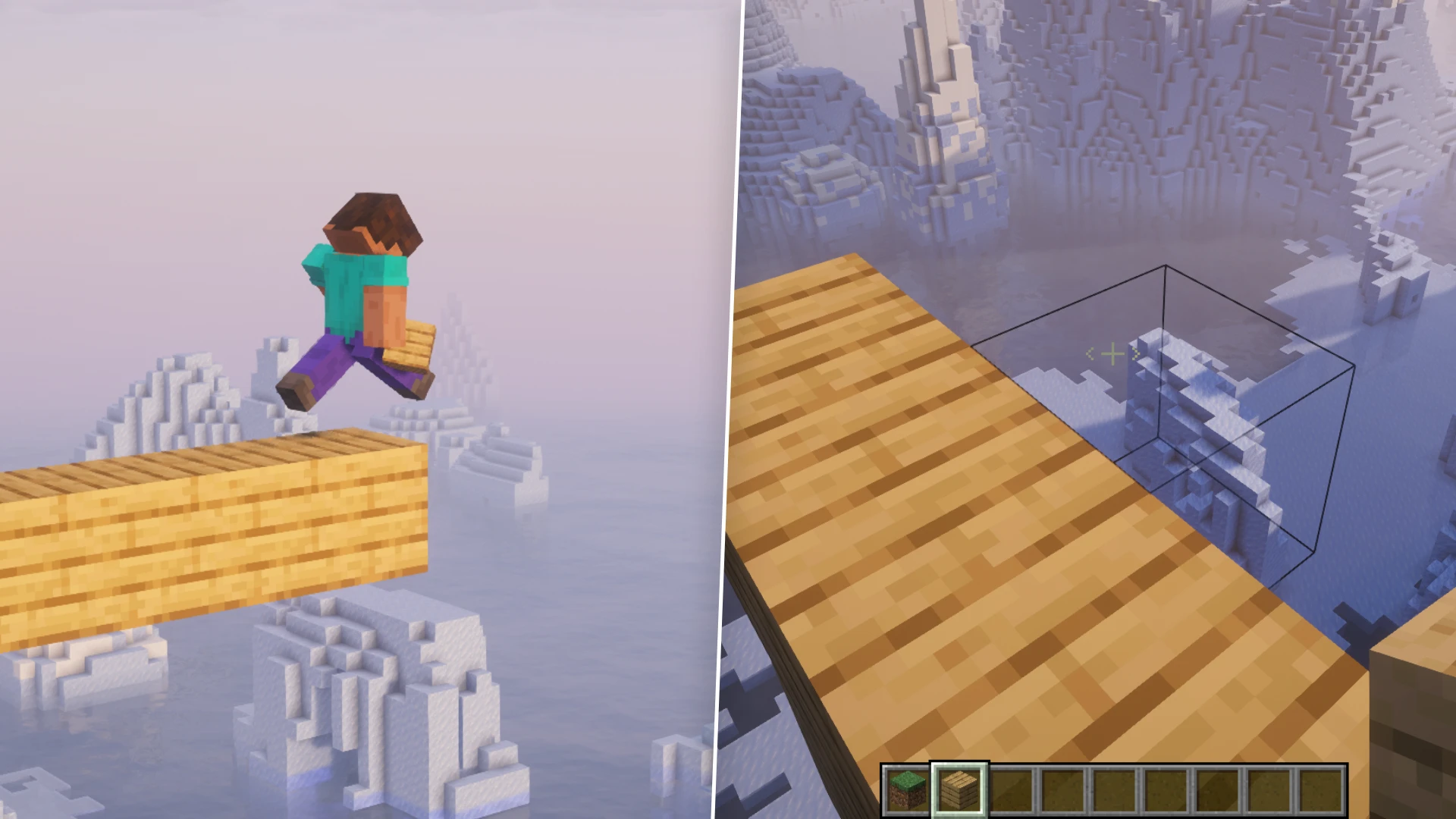

Bedrock players have had reach-around block placement for years. Java players had to rely on accurate block placement skills to place blocks while moving forward at a decent speed, or they have nothing at all. The Bridging Mod fixes that, bringing that same assist to Fabric, Forge, NeoForge, and Quilt. It's a small mod, but it changes how bridging feels almost immediately.
The Bridging Feature
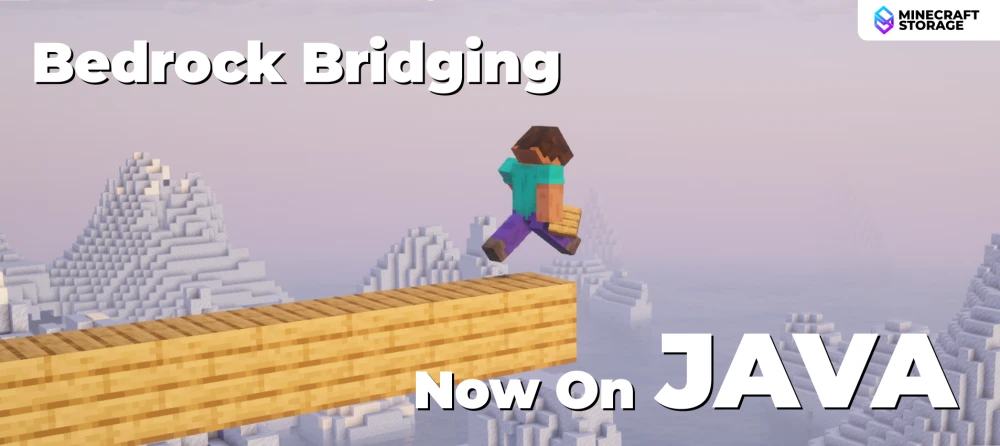
Bridging is the headline feature here, and the mod wears it proudly. It lets you place blocks at places you usually can't, whether that's out in front of you, above, or below. No more edging off a platform just to line up a click. It's the exact convenience Bedrock players take for granted, now on Java.
Horizontal Bridging
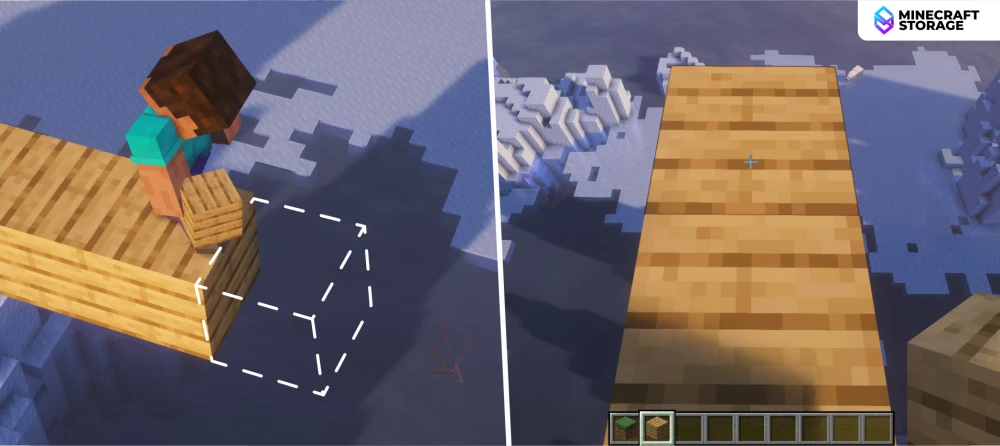
The most common use case is simple: walking off the edge of a platform and placing forward into thin air. The dashed outline shows exactly where the next block will land before you place it. Once placed, it lines up flush with the block you're building off. This is the classic "bridging" motion most players will use it for.
Downward Bridging
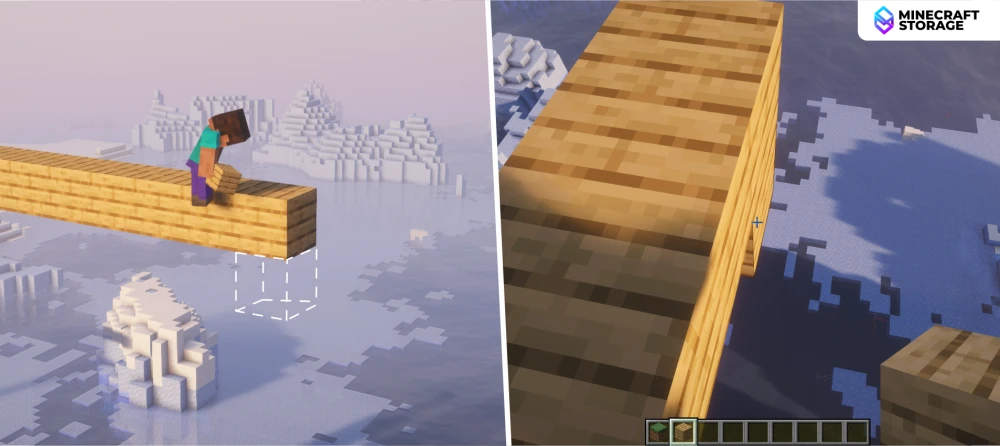
It's not just horizontal placement either. Stepping off a ledge and placing downward works the same way, letting you build staircases without awkward positioning. The outline drops below your feet to show the target block. That's handy in the Nether or the End, where a missed placement usually means a long fall.
Upward Bridging
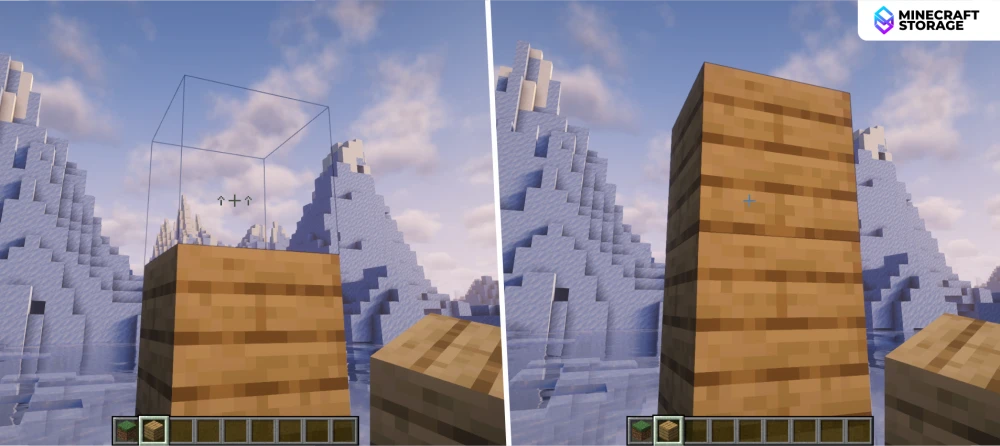
Vertical bridging works too, letting you extend a pillar straight up without staring down at your feet. The outline appears above the block you're placing on, and one placement stacks it cleanly. No more jumping up to click the right face. Especially useful when building 4-5 block tall walls, as you don't have to rely on supporting blocks.
The Crosshairs
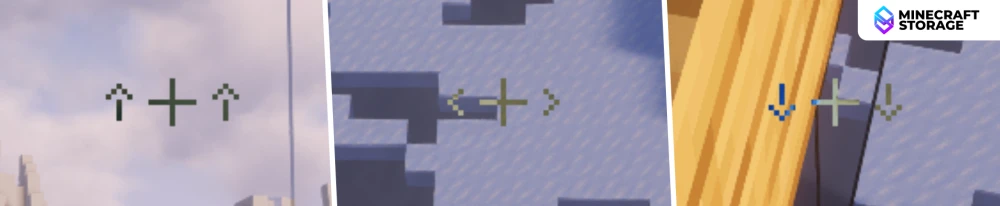
Every bridging placement is signposted by a small crosshair icon, so you always know what's about to happen. Up, down, and horizontal each get their own subtle marker. It blends into the normal crosshair rather than cluttering the screen. There's even support for the DynamicCrosshair mod if you want it styled further.
Mod Configs
Features Tab
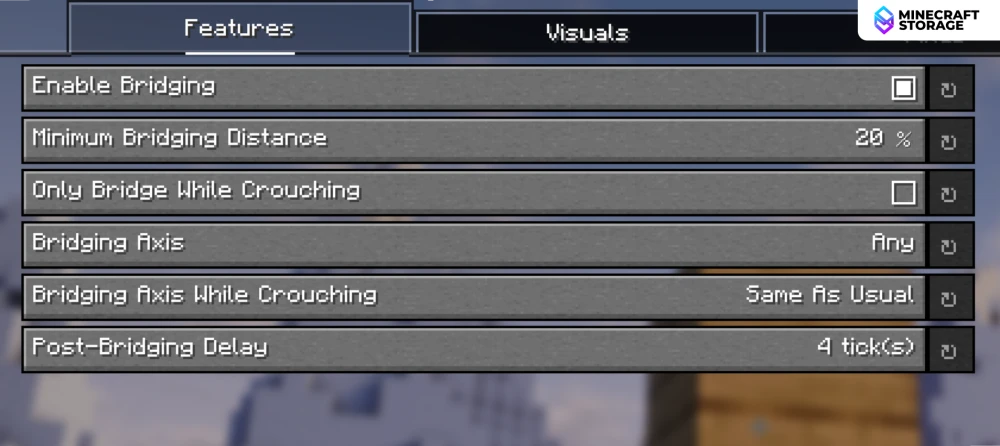
The main Features tab covers the essentials: enabling bridging, setting a minimum distance, and locking it to specific axes. There's even an option to only bridge while crouching, for players who want more control. Post-Bridging Delay adds a short cooldown to stop accidental double placements. It's a sensible set of defaults with real room to customize.
Visuals Tab
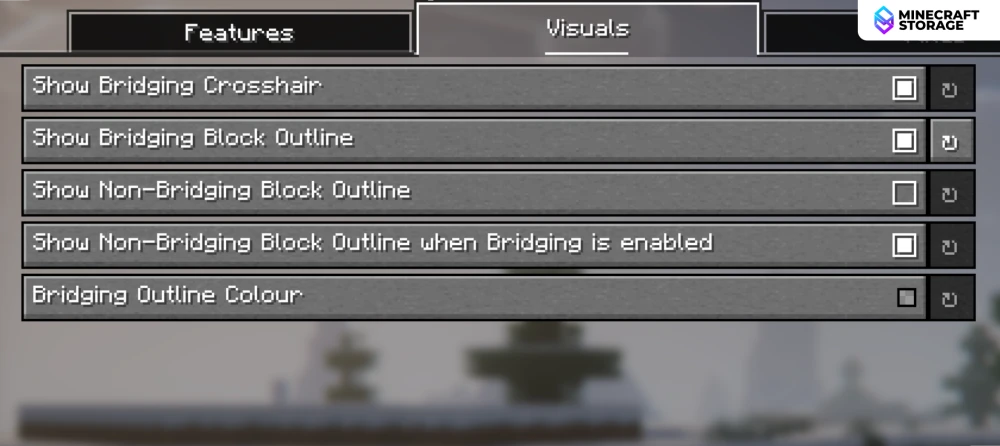
The Visuals tab is all about feedback. You can toggle the crosshair, outline bridging blocks, or even outline the blocks that won't bridge. Outline colour is customizable too, so it's easy to make the assist visible or nearly invisible. Good for players who want to see exactly what's happening under the hood.
Fixes Tab
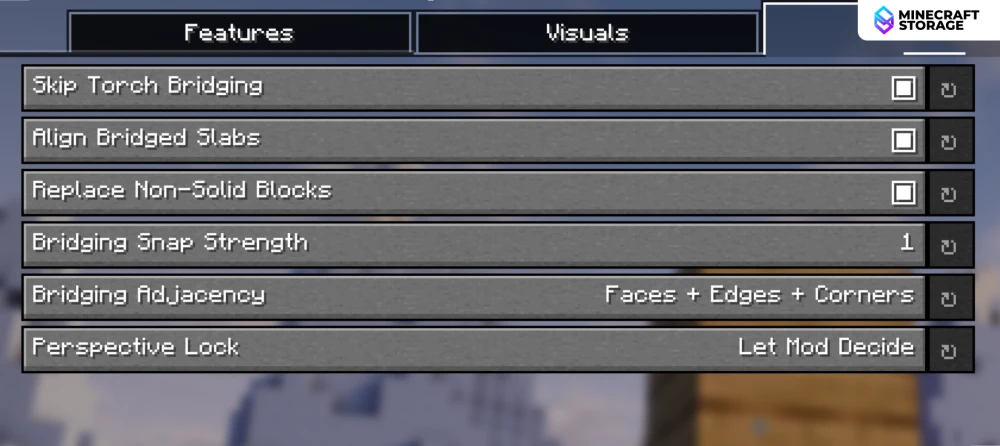
The Fixes tab provides options like Align Bridged Slabs and Replace Non-Solid Blocks fine-tune how forgiving the placement is. Bridging Adjacency and Snap Strength control exactly which surfaces count as valid targets. This is where the mod stops being "on or off" and becomes genuinely tunable.
Conclusion
The Bridging Mod does exactly what it promises: Bedrock-style reach-around placement, now on Java, with more configuration than either Bedrock or Quark ever offered. It's client-side, actively maintained, and supports a wide spread of Minecraft versions from 1.17 up through 1.21.11. The big catch is where you can use it — it's explicitly not meant for large servers, won't work on Hypixel, and could get you banned if a server bans block-placement mods. For singleplayer or a small SMP with friends, though, it's a genuinely useful quality-of-life mod worth grabbing.
This mod requires the YetAnotherConfigLib library mod as dependency.
What's Next
Other Utility & QOL Mods interesting
Mods that improve your gameplay experience in general!
 mod
modA better farming experience with new quality-of-life features.
 mod
modHighlights new items in your inventory
 mod
modEnhance your Superflat Survival with new crafting items, trading options, and quality-of-life improvements for immersive gameplay.
 mod
modCombine Infinity and mending enchantments onto a single bow!
 mod
modWant true invisibility in Minecraft? No Invisible Particles removes the swirling potion effects, letting you sneak undetected for a cleaner, more immersive stealth experience!
 mod
modNeed a large supply of saplings? Simply craft them!
