


Rated 4.0/5.0 by 1 user
Amethyst Shaders
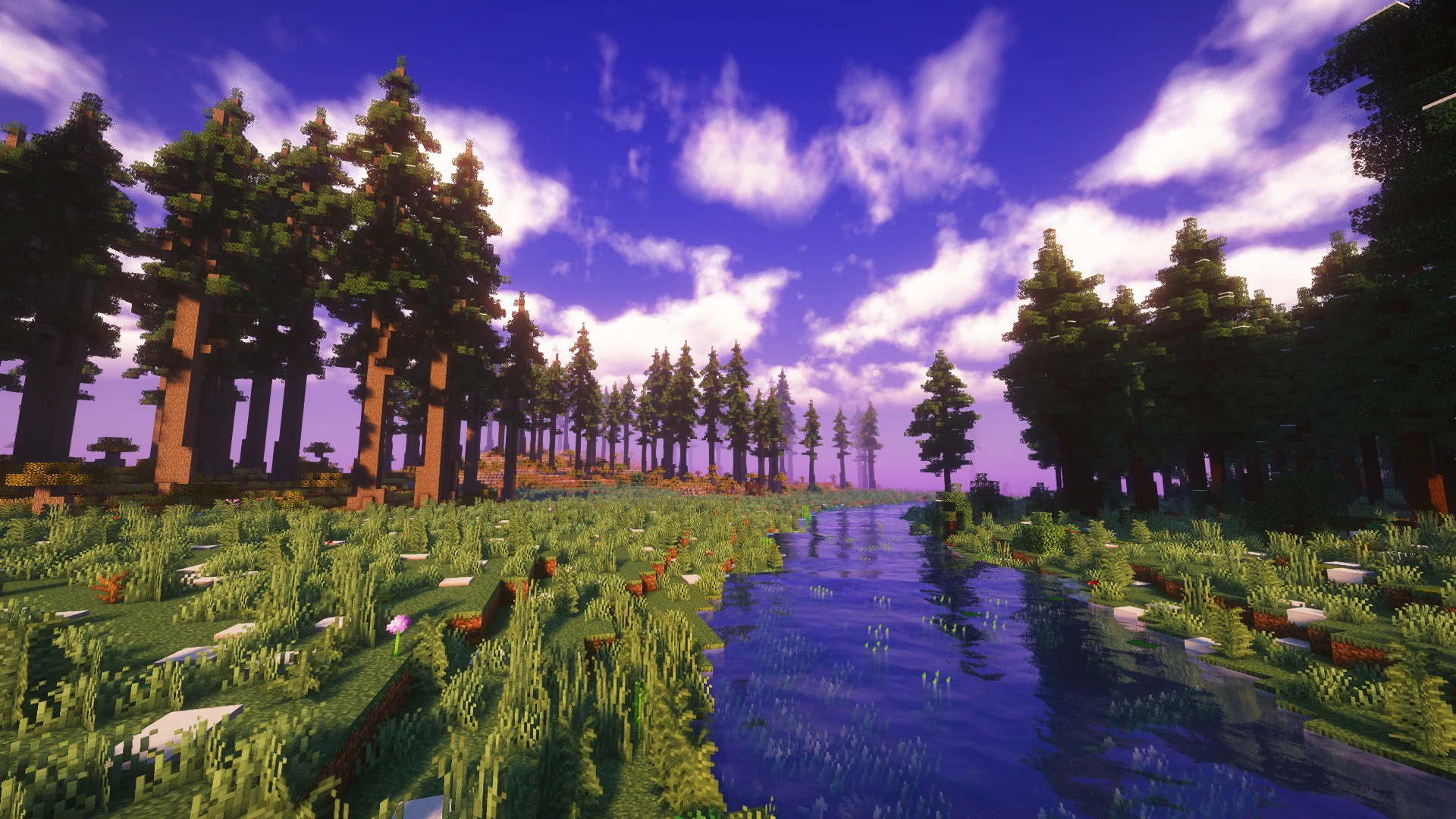
A mix of Realism and Fantasy. This pack achieves both in a clean, balanced way!
Creators and Publishers

MinecraftStorage
PublisherAdditional Links
You may find some useful information by following these links

https://modrinth.com/shader/amethyst-shaders
Share this post


Amethyst is a shader pack based on Complementary shaders. The pack achieves to provide visuals which is a mix between realism and fantasy. Let us take a look at this beautiful shader pack in detail.
Volumetric Light
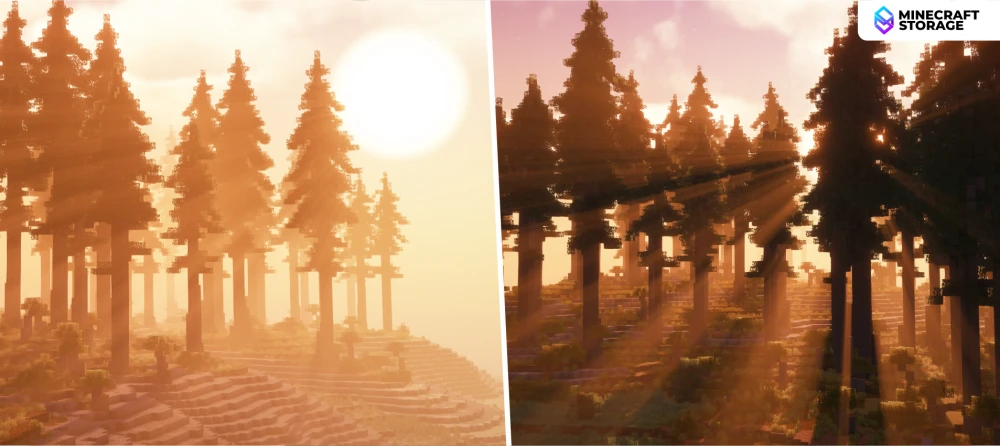
When the sun moves towards and beyond the horizon, the sunlight falls more and more parallel to the terrain. And when they do, the light forms mesmerizing god rays as the it passes through terrain features such as trees. This is a truly beautiful sight.
Fantasy Vs Realistic
In the shader pack settings, you can toggle between two shader presets - Fantasy and Realistic. The Fantasy preset sways more towards a vanilla-friendly look, while Realism tries to achieve what its name suggests.
Time of Day
The comparison slider above helps you understand the drastic difference in visuals during the day time and night time. The sky gradients change and as midnight approaches, stars start appearing in the sky. The world also attains un-playable levels of darkness at the night, prompting players to rely on torches and other light sources.
Midnight Auroras
At midnight, you will notice auroras forming on the now dark and cloudy sky. Stars appear scattered across the sky, while the auroras stay the most noticeable feature.
Weather Effects
When it rains/snows, the cloud density increase, making the world much darker. Sunlight finds it way through small gaps in between the clouds, giving rise to sharp godrays falling directly from the sky. The fog effects also seems to thicken.
Shadow Resolution
Shadows in the Amethyst shader pack has two different presets - Pixelated and Normal. Pixelated preset makes shadow edges appear pixelated, making them look cleaner, while the Normal preset is the same as the Complementary shadows, which can look jagged at lower shadow resolutions.
PBR Features
Amethyst comes with its own integrated PBR, which can make block surfaces appear more reactive to light in a very detailed manner, without any additional texture pack. The pack also supports labPBR textures. The image above compared the integrated PBR against the labPBR texture effect from the CoffeePBR texture pack.
The Nether
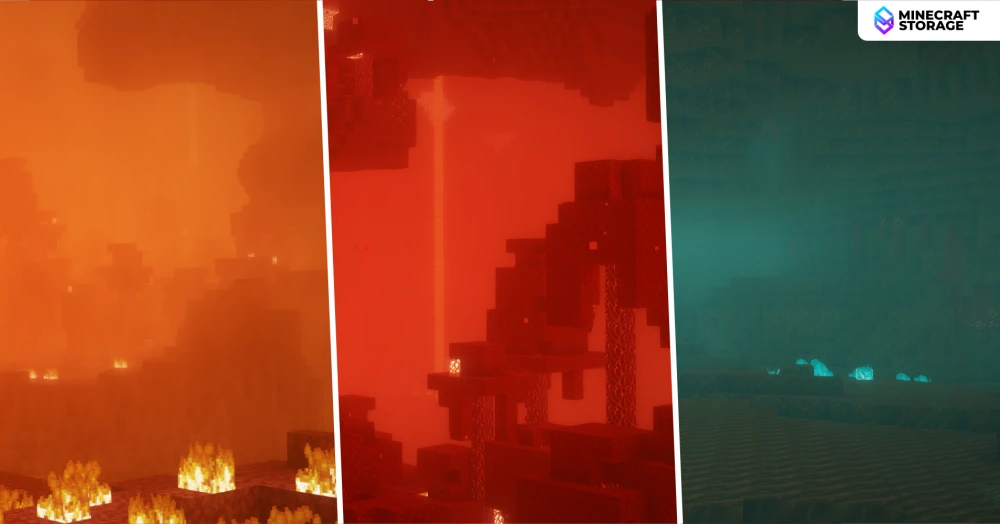
When it comes to the Nether, the Complementary Nether smoke can be seen in effect. The fog also appears to change colors based on the biome the player is in.
The End
When it comes to the End dimension, the sky is strongly purple tinted and filled with stars. Unlit areas on structures such as the End city, appear to be darker than usual. A thick fog effect also seems to be in action.
Quick Settings Tab
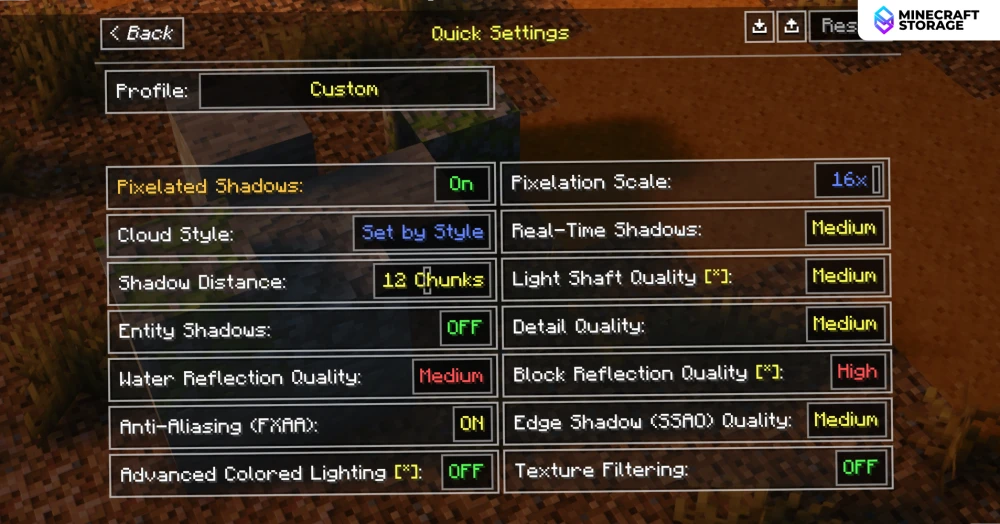
Within the shader settings, you can find the "Quick Settings" tab. This tab contains some settings and toggles that massively changes how Amethyst looks and feels. Crucial options which are otherwise spread across different tabs are easily accessible from here.
Conclusion
Overall, Amethyst carves out its own identity within the Complementary family by masterfully blending realism with a touch of fantasy. Its striking volumetric lighting, dramatic weather effects, and midnight auroras give the world a sense of atmosphere that feels both grounded and magical, while the flexibility to switch between Fantasy and Realistic presets lets players tailor the experience to their liking. Add to that the customizable shadow resolution, robust PBR support, and the convenience of the Quick Settings tab, and it's clear that Amethyst was built with both visual ambition and user-friendliness in mind. Whether you're drawn to its moody nights or its immersive dimensional touches, Amethyst stands out as a shader pack that offers something a little different from the rest.
What's Next
