

Not rated yet
Creators and Publishers

MinecraftStorage
PublisherAdditional Links
You may find some useful information by following these links

https://www.curseforge.com/minecraft/mc-mods/withered-dragon
Share this post


Ice And Fire: Withered Dragon Mod
Revive and Awaken Powerful Dragon! Ride them, summon their minions to fight alongside you and obtain the most powerful Withered Dragonforce Gear!
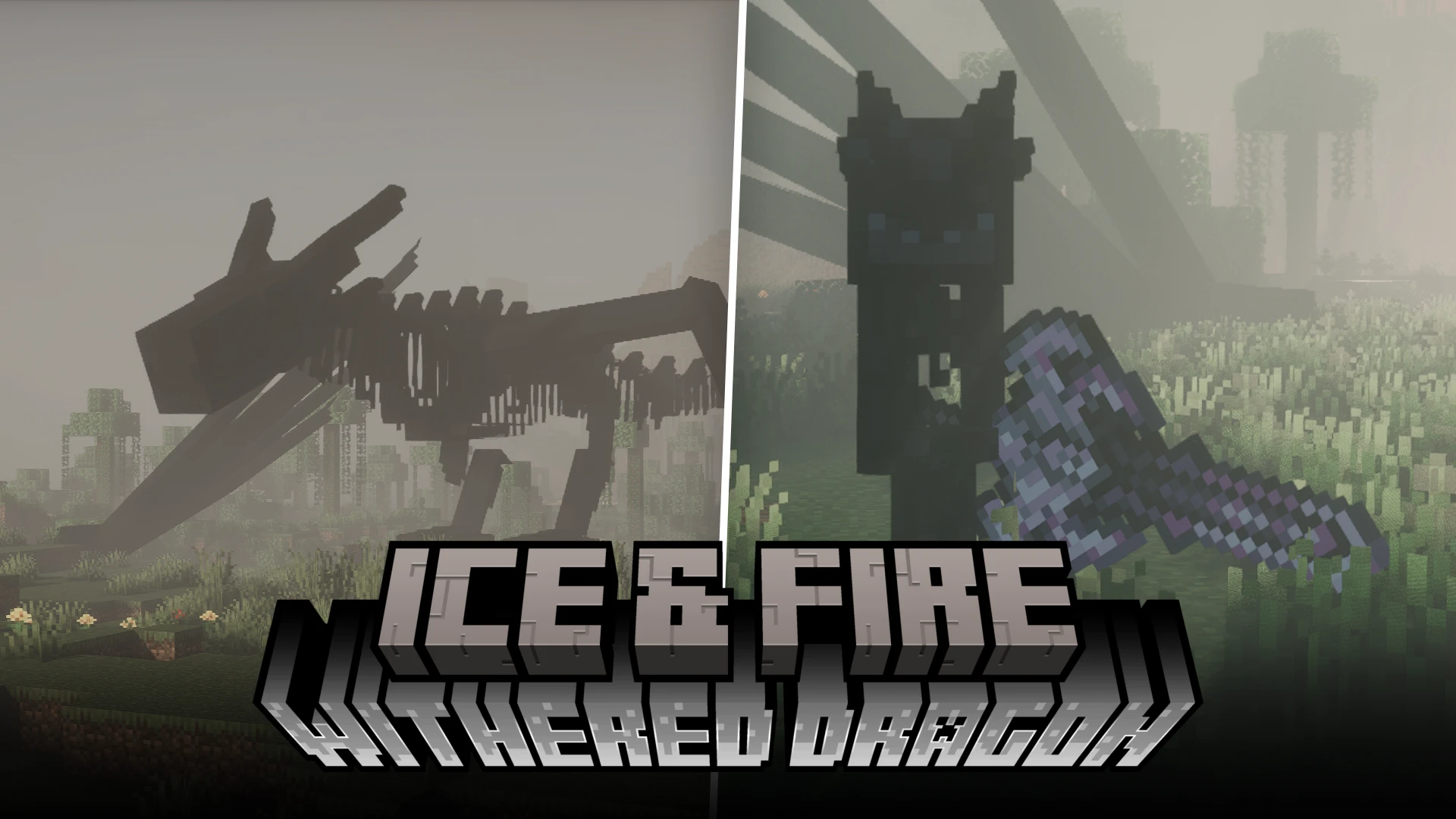

Ice And Fire: Withered Dragon mod less than a month old at the time of writing this article. As a newer mod, there is not much guides or tutorial out there. Therefore, we at MinecraftStorage present you a beginner guide for the mod.
Basic Gameplay Layout:
Find a dragon skeleton -> Revive it -> Awaken it -> Obtain Withered Dragonsteel
Let us now go through all the progression stages in detail.
Where do you find dragon remains?
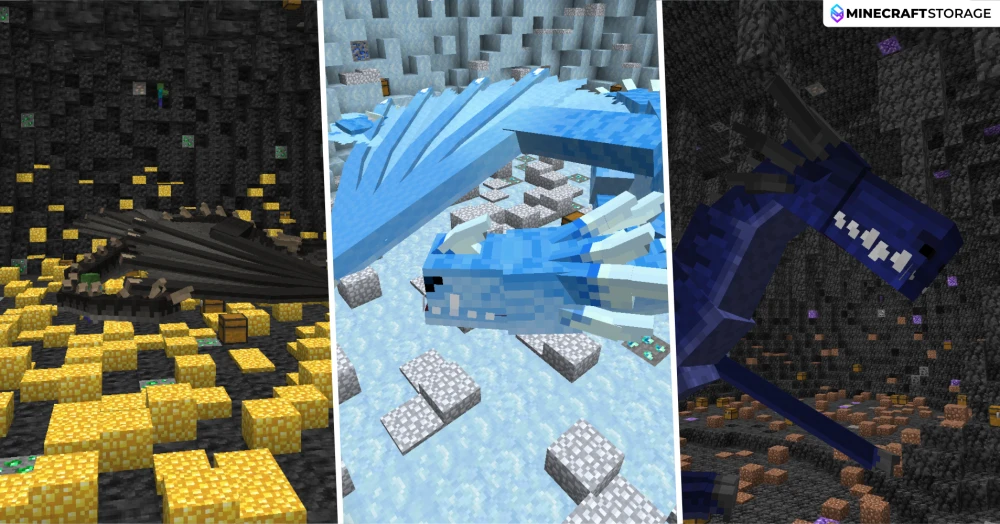
To obtain a Withered Dragon, first find the skeletal remains of a dragon from Ice and Fire CE. These large, motionless skeletons generate on the Overworld’s surface. Search deserts, plains, meadows, and jungles for Fire Dragon skeletons; snowy plains, snowy taigas, and frozen mountains for Ice Dragon skeletons; and jungles, swamps, savannas, and badlands for Lightning Dragon skeletons. The skeleton’s original type determines which Withered Dragon you can revive.
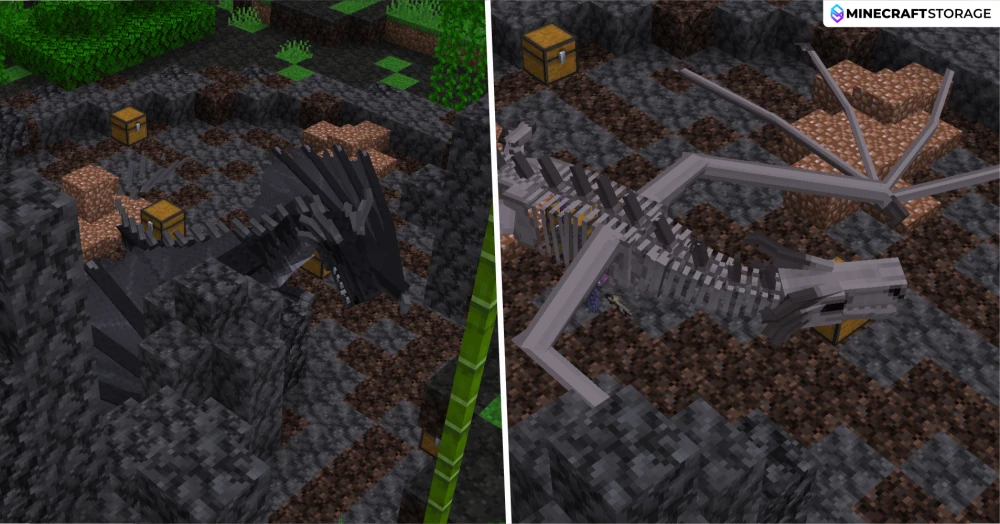
Alternatively, defeat a living dragon found at an above-ground roost or inside an underground dragon cave. Harvest its corpse by right-clicking with an empty hand until its skeletal form is exposed, then stop—completely harvesting the remains removes the body. Use a Soulbound Phylactery on the exposed skeleton to revive it as your tamed Withered Dragon. If you plan to awaken it later, choose a mature dragon capable of reaching 500 maximum health, since revival disables natural aging.
How do you revive the skeleton?
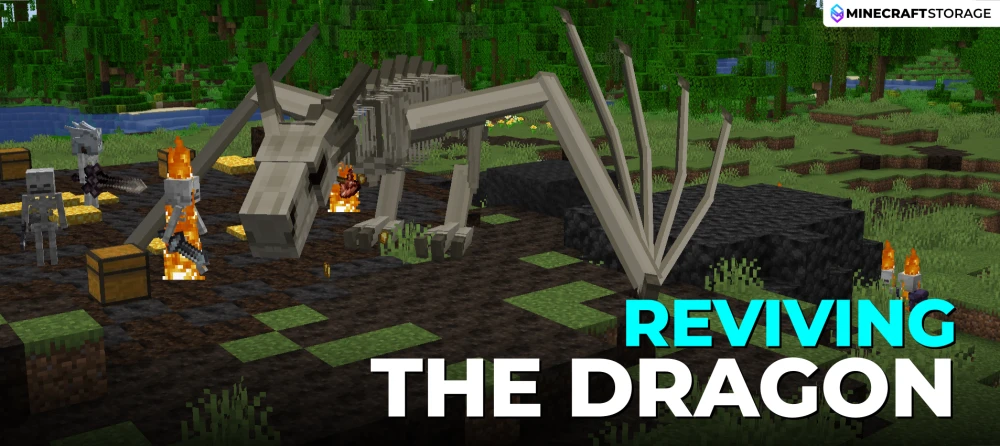
Let us take a look at the dragon revival process in detail.
Craft an Empty Phylactery
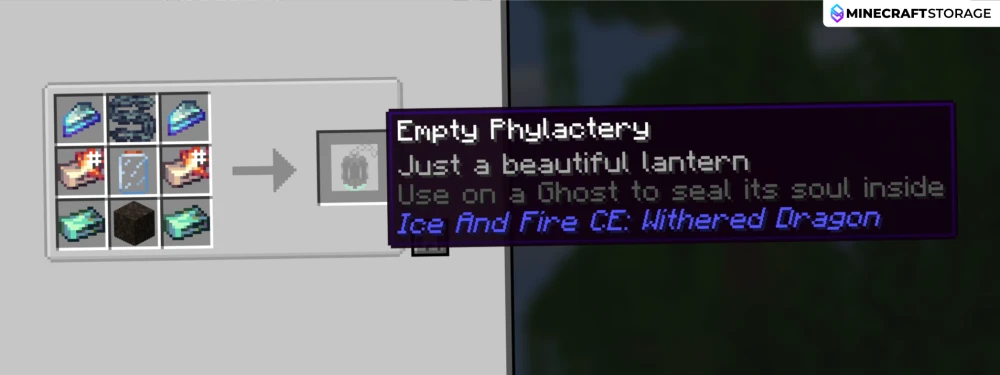
Begin by crafting an Empty Phylactery, a vessel used to capture a Ghost’s soul. The recipe requires two Dread Shards, one Chain, two elemental Dragonsteel Ingots, two Ghost Ingots, one Graveyard Soil block, and one Empty Pixie Jar. Arrange the ingredients as shown above; Fire, Ice, or Lightning Dragonsteel Ingots can fill the two elemental Dragonsteel slots.
Find a Graveyard
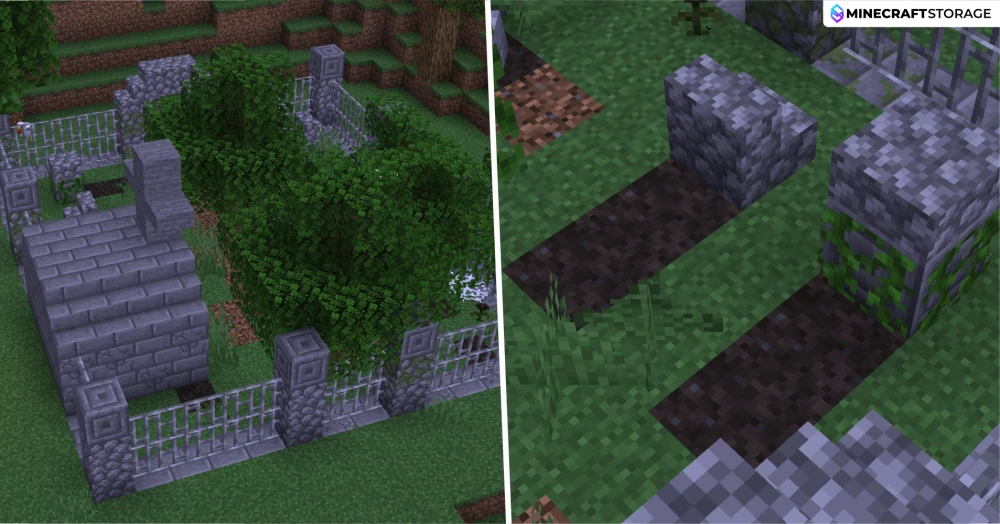
Next, explore the Overworld for an Ice and Fire graveyard, recognizable by its graves, stone structures, and iron-bar fencing. The dark blocks covering the graves are Graveyard Soil, which can spawn Ghosts at night. Bring your Empty Phylactery and wait nearby on a difficulty other than Peaceful.
Capture a Ghost
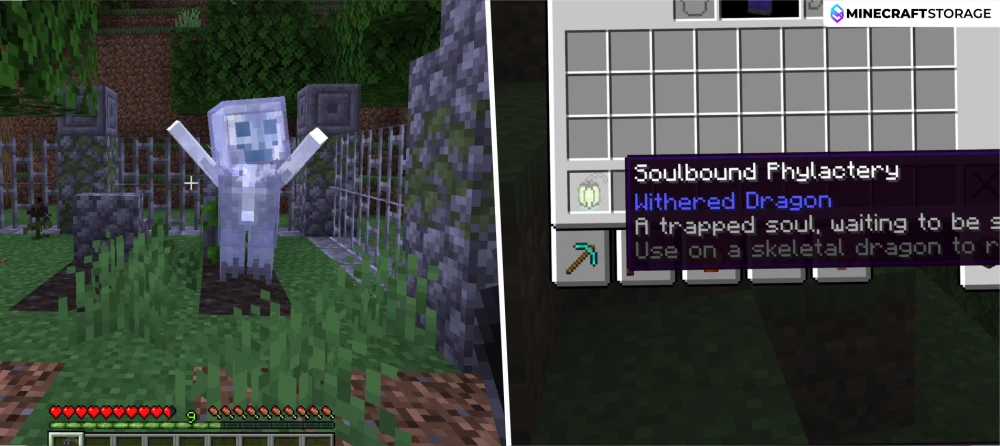
When a Ghost appears, hold the Empty Phylactery and right-click the Ghost to capture it. The Ghost disappears, and you receive a Soulbound Phylactery containing its trapped soul. This filled vessel is the item needed to bring a dragon skeleton back to life.
Reviving the Dragon
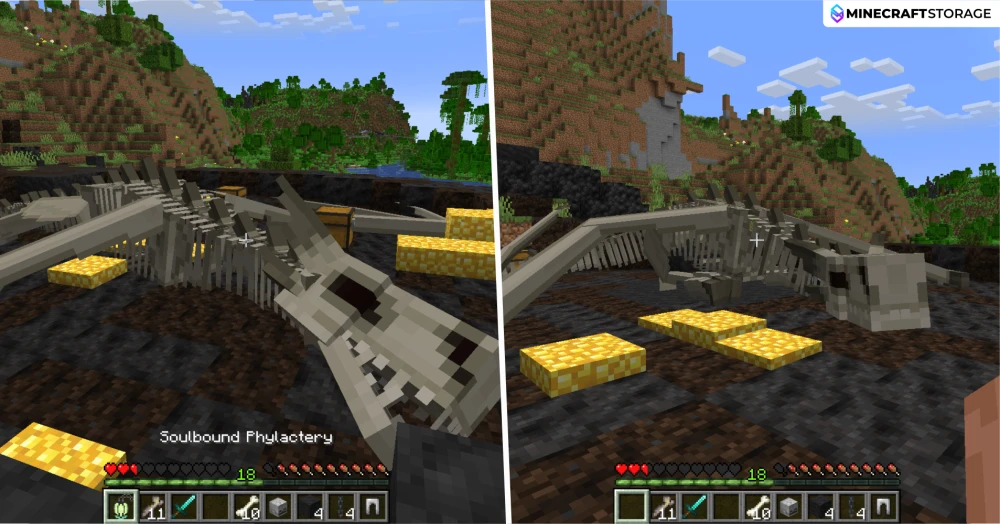
Return to your dragon skeleton and right-click its body with the Soulbound Phylactery. The item is consumed in Survival, and after roughly two seconds, the skeleton becomes an active Withered Dragon automatically tamed to you. It retains its skeletal appearance, original age, and Fire, Ice, or Lightning origin.
The Tamed Dragon
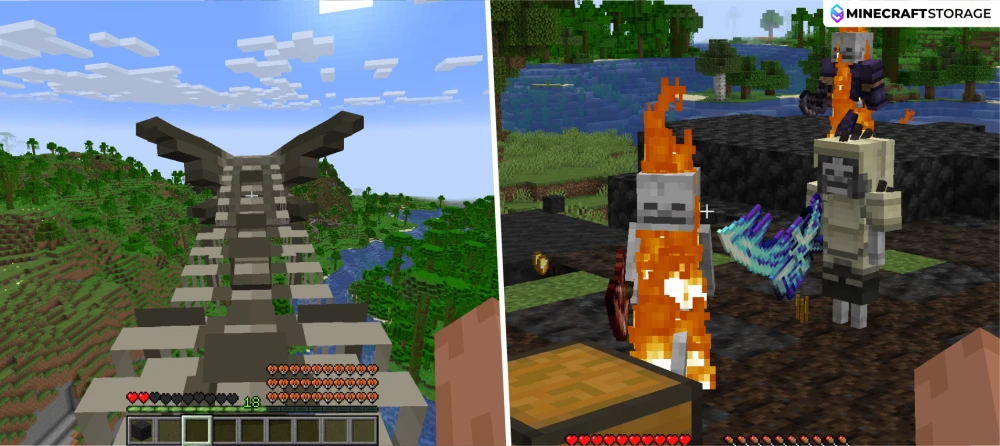
Your revived Withered Dragon can serve as a flying mount and summon Skeleton allies through its roar. These temporary minions assist in combat, while the dragon’s roar effects weaken nearby enemies. At this stage, the dragon remains unawakened; unlocking Wither Breath and Wither Skeleton summons requires a later ritual using a Withered Orb.
Dragon Health
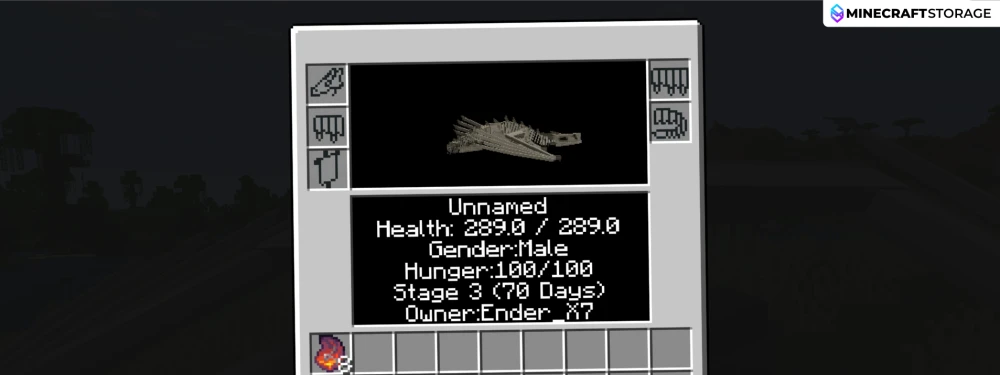
Check your dragon’s inventory screen to view its health, age, growth stage, hunger, and owner. Revival restores it to full health and disables natural aging. The example above is a Stage 3 dragon with 289 maximum health, so it falls below the 500 maximum health required for awakening. If awakening is your goal, choose a sufficiently mature skeleton before performing the revival.
Awakening the Dragon
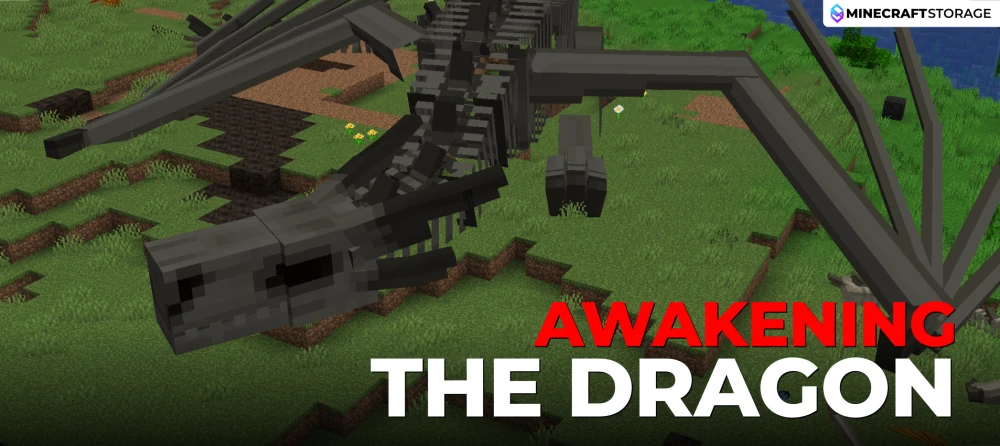
Once the dragon is revived, you can then awaken it to make it much more powerful. Let us now take a look at the steps involved in doing so.
Withered Orb and Infused Cockatrice Eye
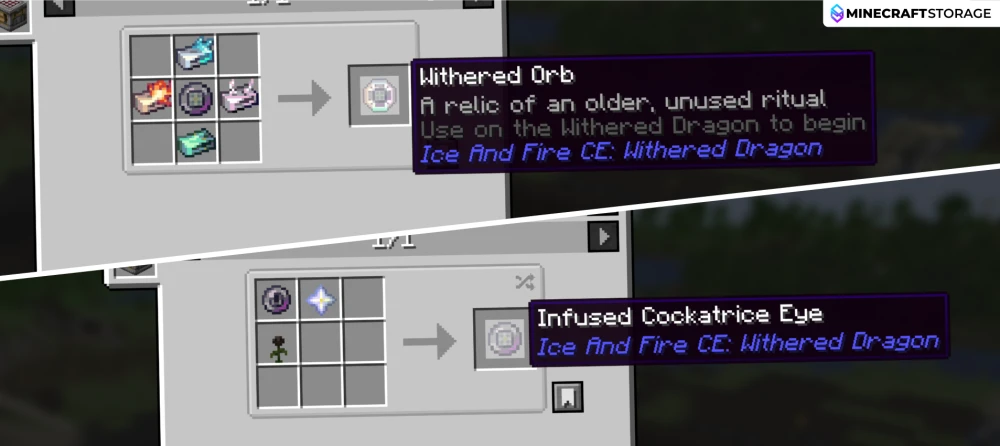
To awaken your Withered Dragon, first craft a Withered Orb. Begin by combining a Cockatrice Eye, Nether Star, and Wither Rose to make an Infused Cockatrice Eye. Place the infused eye in the center of a crafting table, with an Ice Dragonsteel Ingot above it, a Fire Dragonsteel Ingot to its left, a Lightning Dragonsteel Ingot to its right, and a Ghost Ingot below it.
Ensure Dragon Health
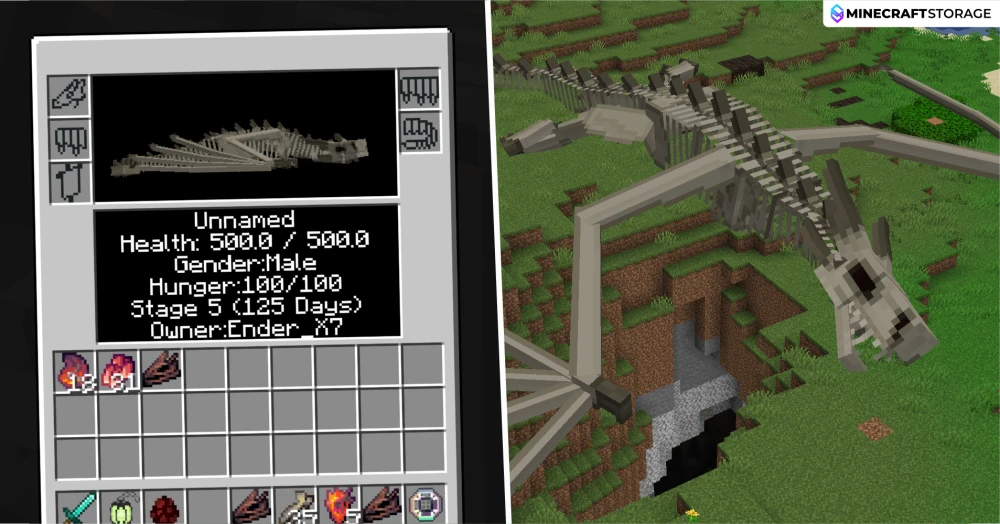
Before using the Orb, check your dragon’s inventory screen: awakening requires at least 500 maximum health. The Stage 5, 125-day-old dragon shown above meets this requirement. The ritual checks maximum health rather than remaining health, so healing a smaller dragon will not make it eligible. Since revival disables natural aging, choosing a sufficiently mature skeleton is important.
Awakening Process
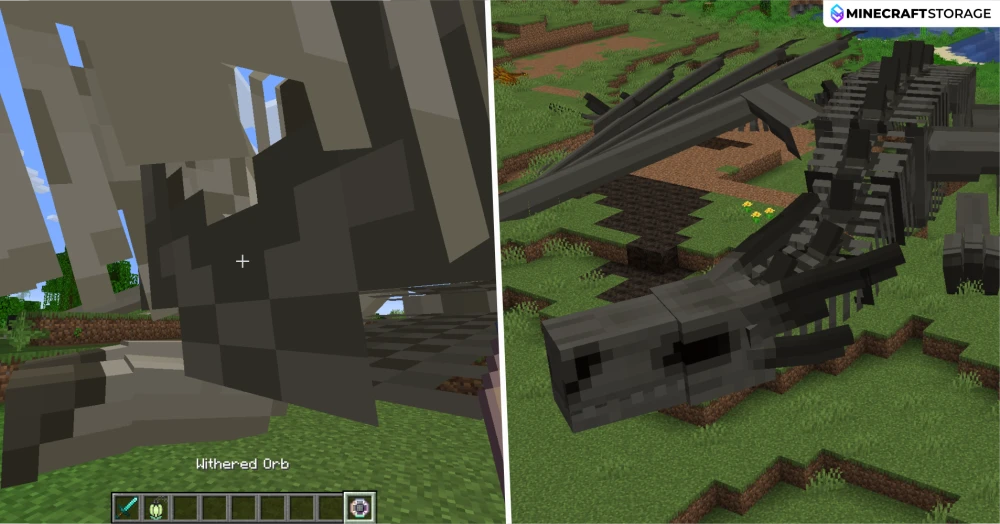
Hold the Withered Orb and right-click your eligible Withered Dragon to begin awakening it. The Orb is consumed in Survival, and dark Wither Skin gradually appears over the skeletal body during a transition lasting roughly one minute. The dragon also becomes visibly larger, gains additional armor, and becomes immune to the Wither status effect.
The Awakened Dragon
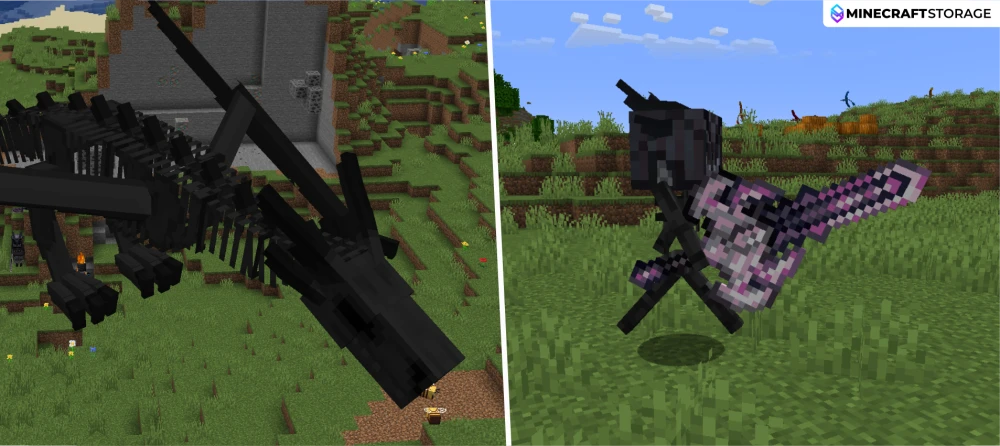
Your awakened dragon now summons Wither Skeletons instead of ordinary Skeletons, and its roar adds Wither to its existing Slowness and Weakness effects. Awakening also unlocks Wither Breath: ride the dragon, aim at your target, and hold R by default. This breath can create Withered Fire, which you will need when building the Pressurized Dragonforge.
Building the Pressurized Dragonforge
Build the Base and Add Soul Sand
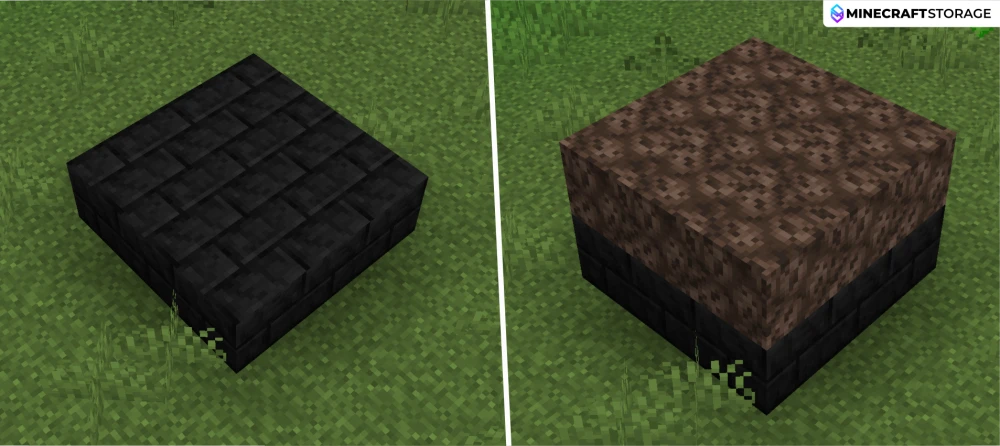
Start with a 3 × 3 platform of Dragonforge Withered Bricks, then cover it with a 3 × 3 layer of Soul Sand. These form the bottom two layers of the Pressurized Dragonforge. Leave enough room around the platform for the outer walls and keep the space above the Soul Sand clear for the next step.
Ignite the Soul Sand with Wither Breath
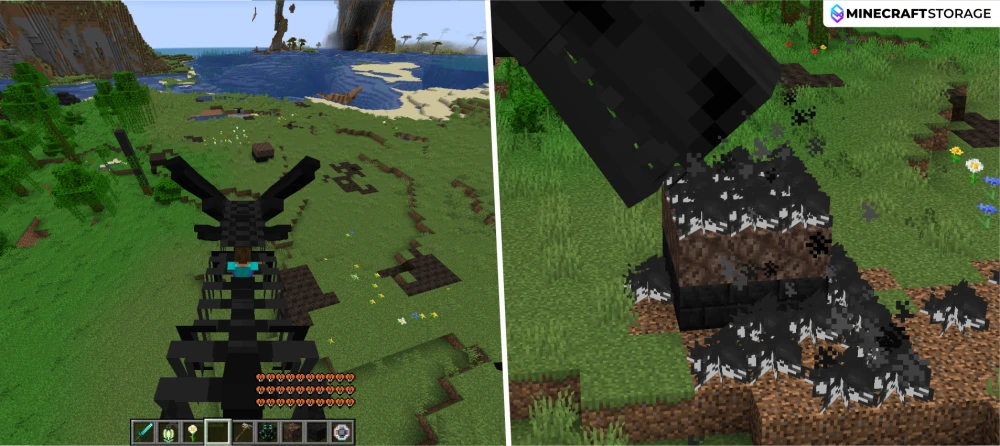
Ride your awakened Withered Dragon, aim at the Soul Sand, and hold R, the default breath key. Direct its Wither Breath across the surface until all nine Soul Sand blocks have Withered Fire above them. Ordinary fire and blue Soul Fire cannot replace this special fire inside the forge.
Surround the Withered Fire with Forge Bricks
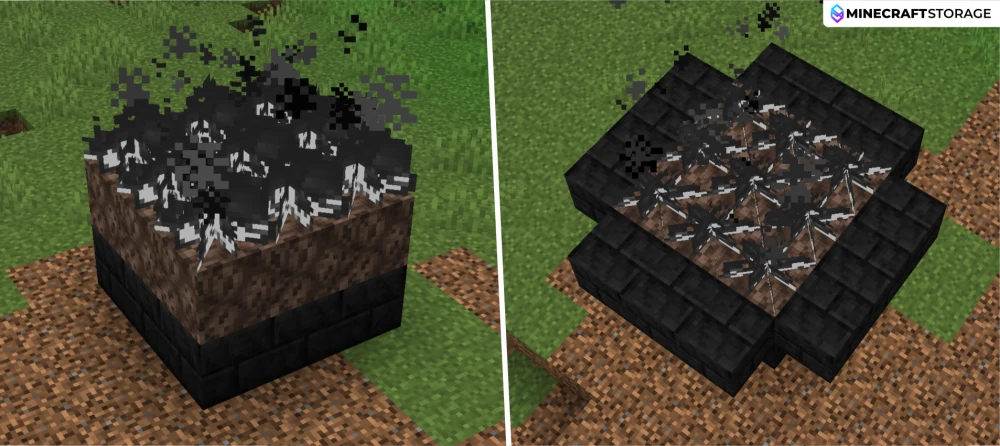
Build an outer border of Dragonforge Withered Bricks around the Soul Sand and fire layers. Each side should extend across the three-block-wide interior, creating a 5 × 5 footprint with the four outer corners omitted. Keep the central Withered Fire intact as you enclose it.
Raise the Walls Around the Fire Chamber
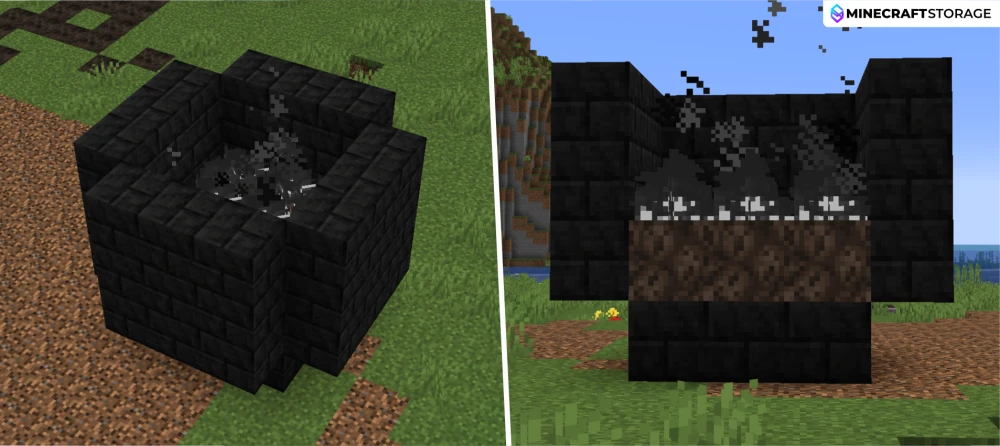
Continue the outer walls upward using the same border pattern until they surround the Soul Sand layer, Withered Fire layer, and one empty layer above the flames. This creates three layers of surrounding walls. Keep the interior space directly above the fire completely empty, as this air chamber is required for the forge to assemble correctly.
Craft the Withered Aperture
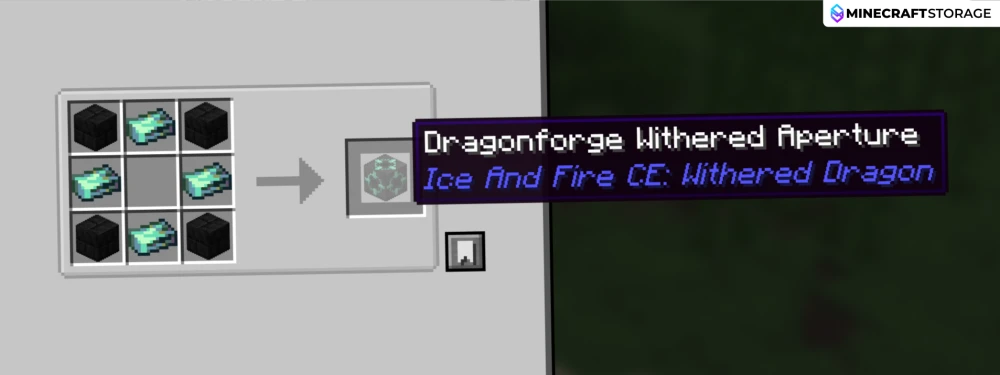
Craft a Dragonforge Withered Aperture using four Dragonforge Withered Bricks and four Ghost Ingots. Place the bricks in the crafting grid’s corners and the Ghost Ingots in the top, bottom, left, and right slots, leaving the center empty. The Aperture provides access to the forge’s inventory and pressure display.
Leave an Air Chamber and Seal the Top
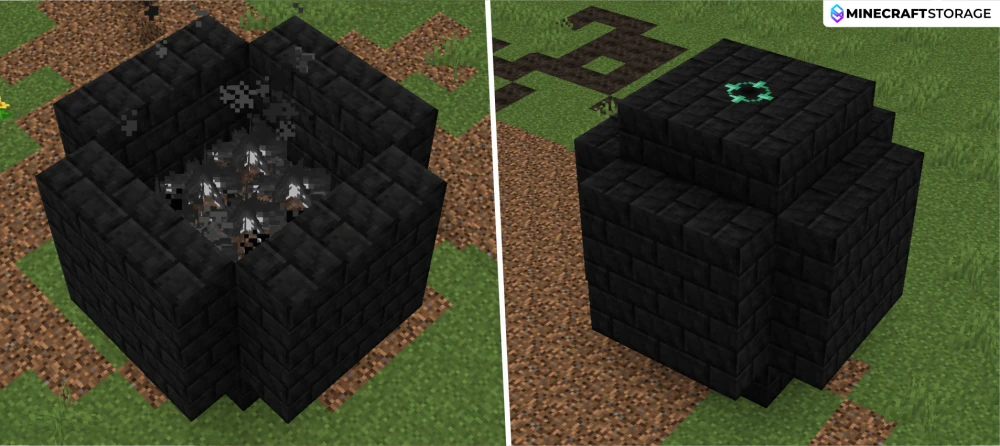
Close the structure with a 3 × 3 roof, placing the Withered Aperture in the center and eight Dragonforge Withered Bricks around it. The roof must sit above the empty air chamber rather than directly against the flames. From bottom to top, the interior should contain forge bricks, Soul Sand, Withered Fire, air, and the roof.
Open the Forge and Build Pressure
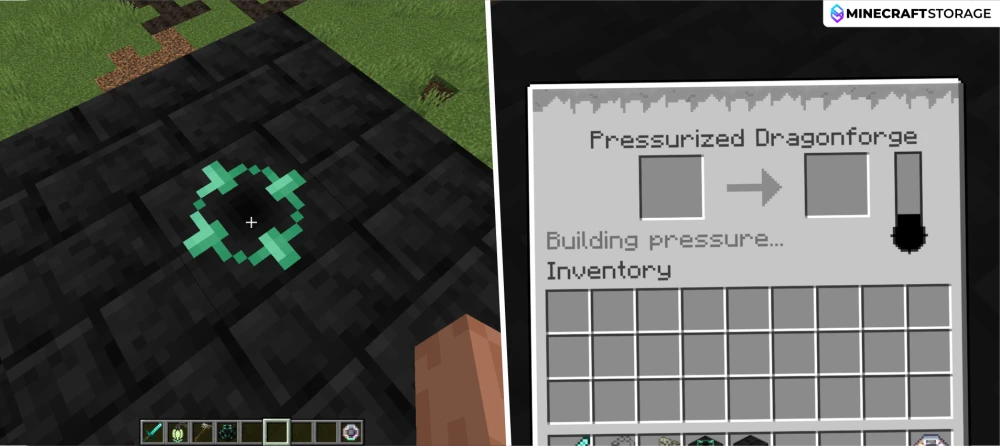
Right-click the Withered Aperture to open the Pressurized Dragonforge interface. A correctly assembled forge displays “Building pressure…” while its gauge fills. Initial pressurization takes approximately five minutes at normal game speed. If it displays “Can’t pressurize,” check the walls, roof, Soul Sand, Withered Fire, and empty air chamber.
Forge Withered Dragonsteel Ingots
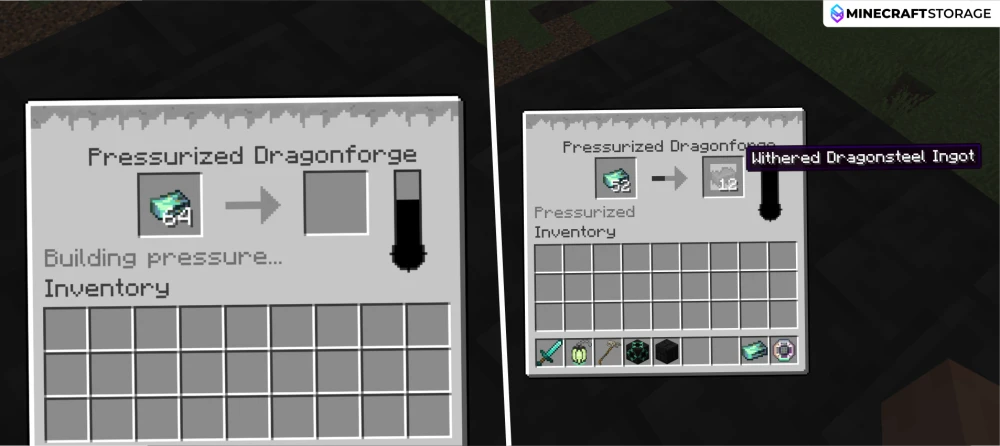
Place Ghost Ingots in the left input slot. Once the forge is pressurized, it converts them into Withered Dragonsteel Ingots, which appear in the right output slot. Each ingot takes approximately 50 seconds at normal game speed to process. Collect the finished ingots to craft Withered Dragonsteel weapons, tools, and armor, and keep the structure intact to maintain pressure.
Withered Dragonsteel Gear
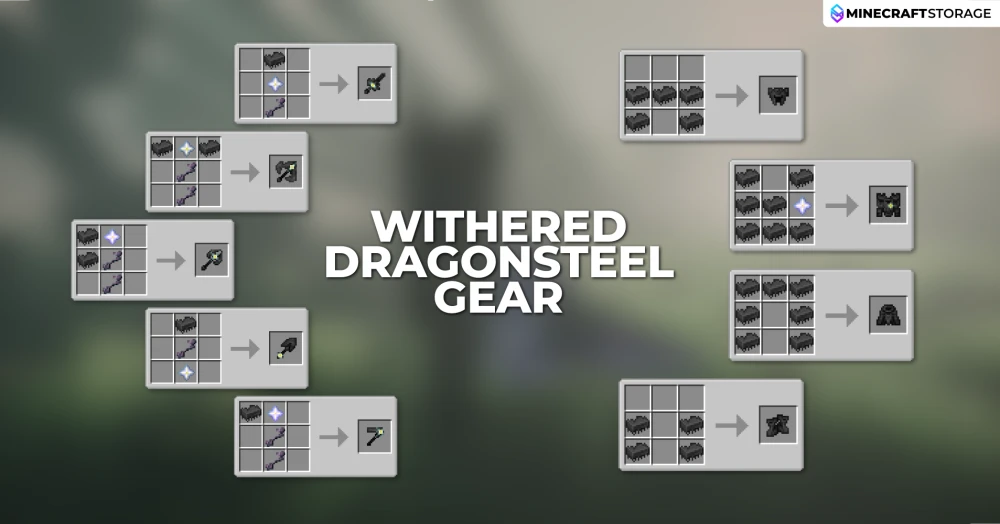
Use your Withered Dragonsteel Ingots to craft a sword, axe, pickaxe, shovel, hoe, and a complete armor set using the recipes shown above. Weapons and tools also require Nether Stars and Witherbones, while the chestplate requires a Nether Star alongside its ingots. All five weapons and tools have 12,000 durability and apply Wither II for 10 seconds plus knockback when striking enemies. You can repair the equipment using Withered Dragonsteel Ingots.
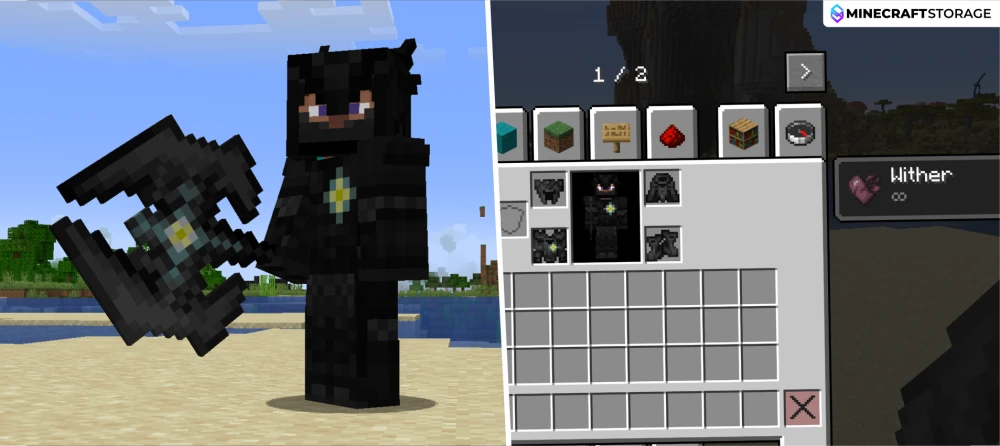
Withered Dragonsteel armor provides high defense, armor toughness, and knockback resistance. Its main special ability comes from the chestplate, which cancels fire, Wither, and Wither Skull damage and automatically extinguishes the wearer. While equipped, it also applies an infinite Wither effect, visible in the inventory screen above, but prevents that effect from dealing damage. These protections require only the chestplate; wearing the complete set adds the remaining pieces’ defensive stats and unlocks the Cover Me in Fear advancement.
Crafting the Dragon Command Staff
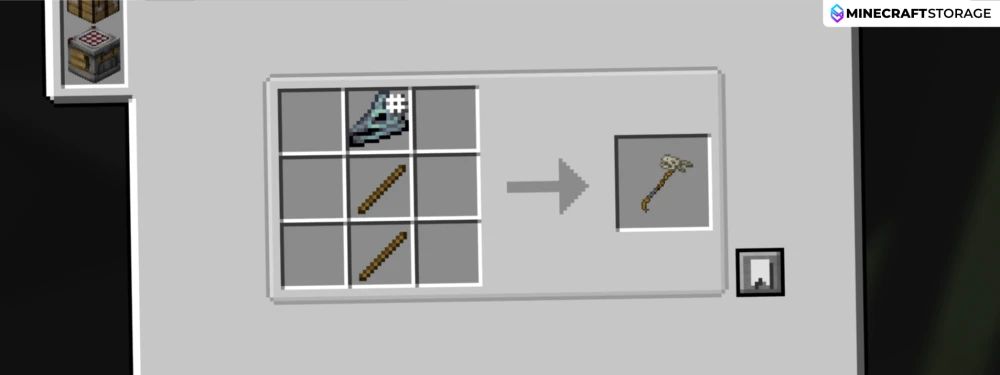
Craft a Dragon Command Staff by placing a Dragon Skull above two Sticks in a vertical line, as shown in the recipe. This item comes from Ice and Fire CE and lets you control your tamed Withered Dragon’s behavior, making it useful for keeping the dragon near your forge or bringing it along while exploring.
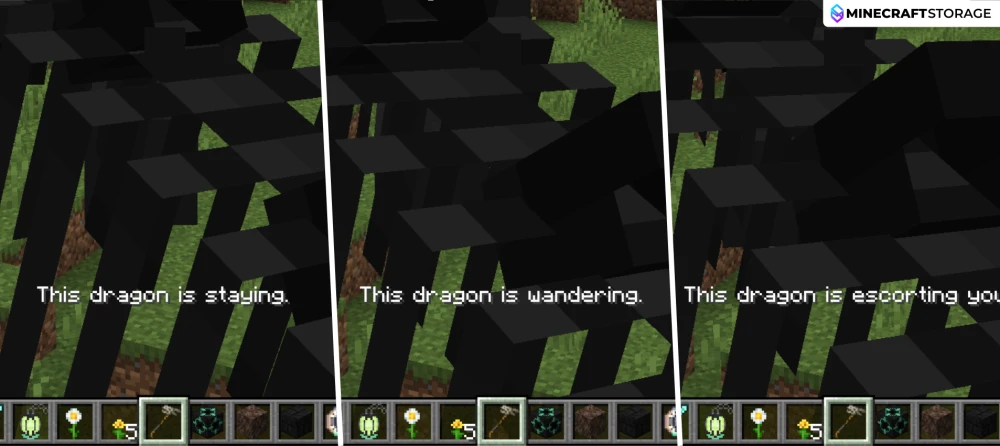
Hold the Dragon Command Staff and right-click your tamed dragon without sneaking to cycle through its behavior modes. Stay keeps it in place, Wander allows it to roam, and Escort makes it follow you. A message appears after each interaction to confirm the selected mode. Shift-right-clicking instead sets or removes the dragon’s home position.
The Ice and Fire: Withered Dragon mod takes you from discovering dragon remains to commanding an awakened undead companion and crafting Withered Dragonsteel gear. Capture a Ghost’s soul, revive a suitable skeleton, and use a Withered Orb to unlock your dragon’s stronger abilities. With its Wither Breath, you can create the Withered Fire needed for a Pressurized Dragonforge and turn Ghost Ingots into powerful weapons, tools, and armor.
Other Magic & Fantasy mods similar
Here are some similar mod to Ice And Fire: Withered Dragon
 mod
modInteract with neutral mushroom traders offering explosive items, nutritious soups, and unique trades in magical shroomy villages
 mod
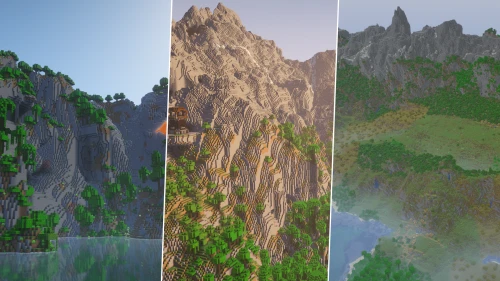
modWorld generation mod that transforms terrain, caves, and biomes into breathtaking epic fantasy landscapes.
 mod
modEver wanted to feel like Iron Man in Minecraft? Timeless Heroes lets you suit up instantly, fly, and access a high-tech HUD with useful stats!

 mod
modEnter the wormhole.... Where will you end up? What's on the other side? The journey is yours to take!
 mod
modCombine Infinity and mending enchantments onto a single bow!
