

Not rated yet
Creators and Publishers

MinecraftStorage
PublisherAdditional Links
You may find some useful information by following these links

https://modrinth.com/mod/villager-recruits
Share this post


Villager Recruits Mod
Raise a massive army, claim factions, declare war, and Conquer! Form alliances and work together to capture enemy territory!
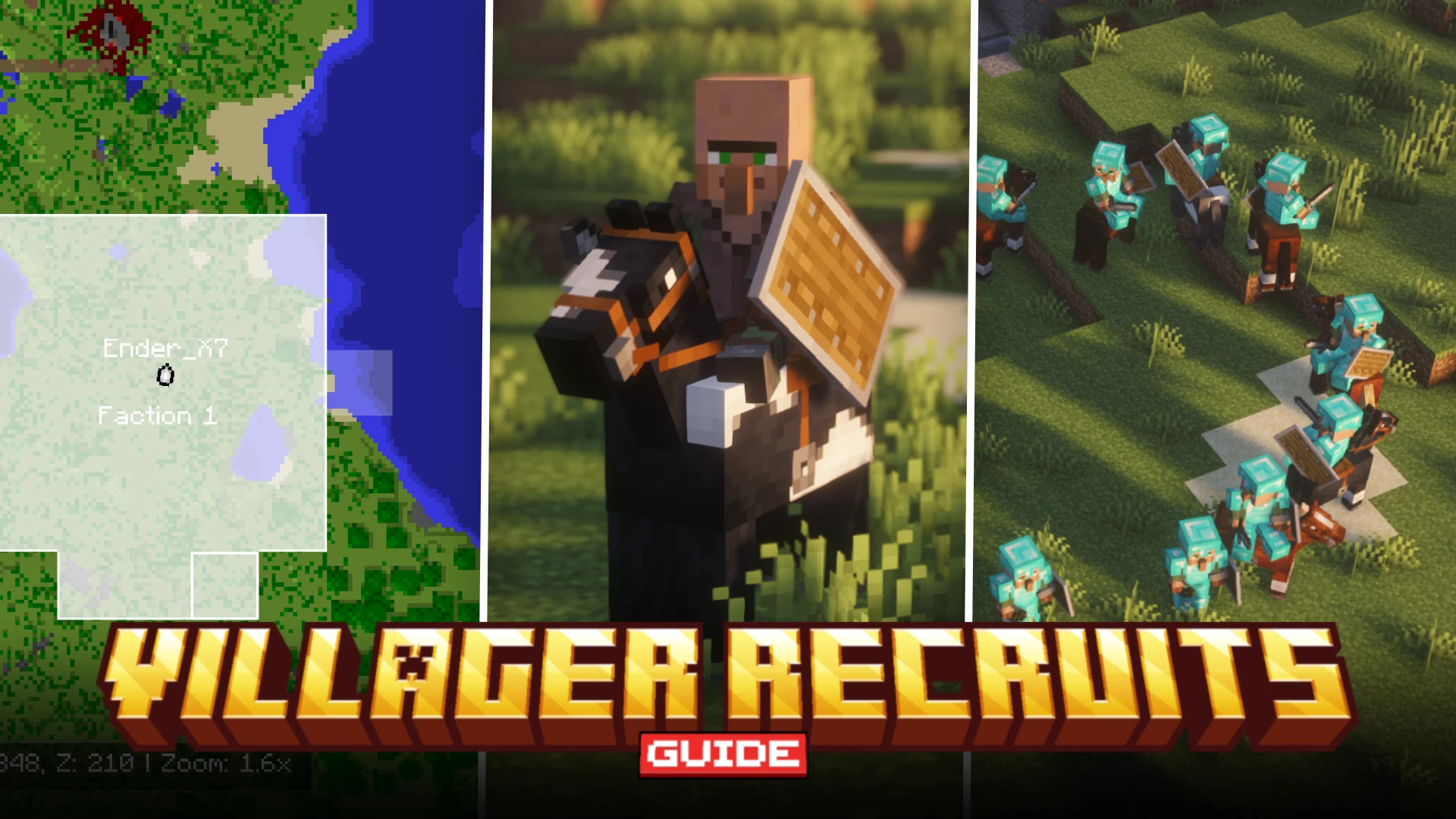

When you install the Villager Recruits mod for the first time, things can be confusing. The goal of this guide is to help you get started with the mod. The guide covers the main aspects and controls of the mod, so that you can learn the basics and use them in a very intuitive way.
Hiring Recruits
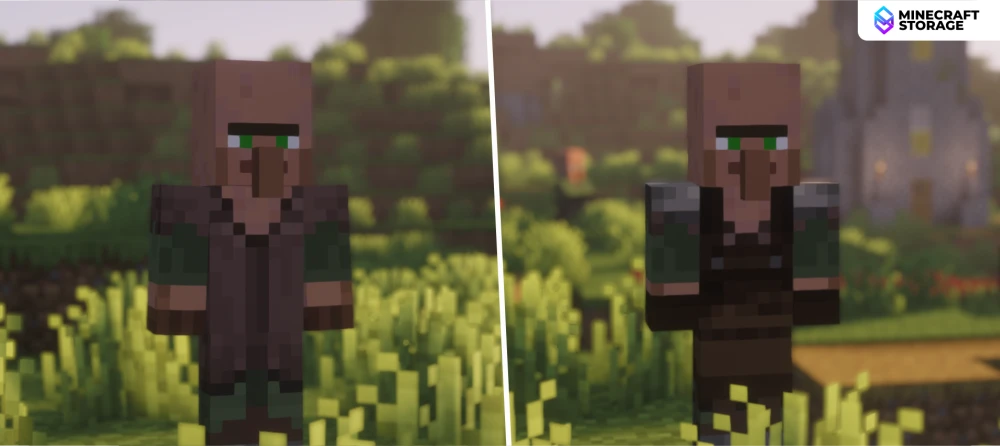
Recruits
Find and hire them!
This is the very first step of raising your army. You need to find and hire recruits by paying them emeralds to work for you. To hire them, right-click on the recruit to open their GUI, and press the "Hire" button to confirm payment. Recruits can be hired in three different ways:
Natural Recruits: Right-click on recruits that spawn naturally in villages.
Wild Recruits: Find and hire patrolling groups that are roaming the world.
Noble Villagers: These spawn in villages with 7+ inhabitants. They can convert nearby villagers into recruits for you.
The Five Classes
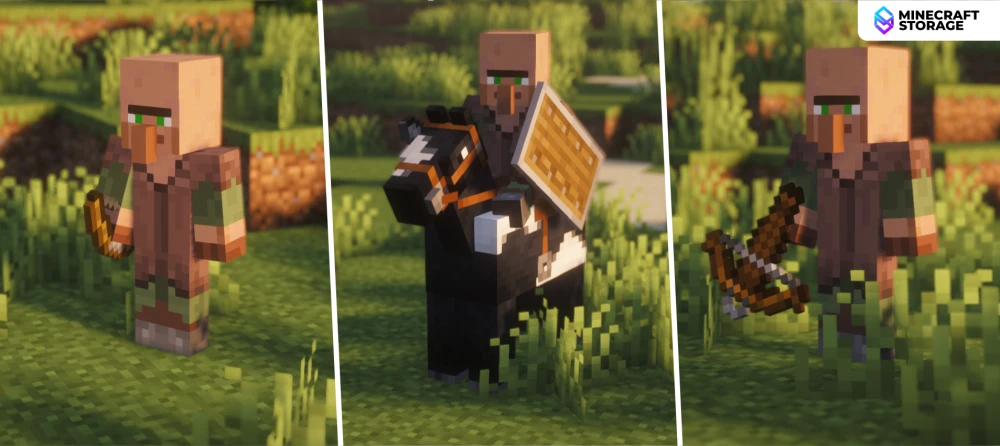
Recruit Classes
Different classes, different abilities.
Once a recruit is hired, you can assign them one of five classes. Based on the class, these recruits will have different attacks and behavior. The five classes are - Shieldmen, Bowmen, Crossbowmen, Horsemen, and Nomads.
Recruit Inventory GUI
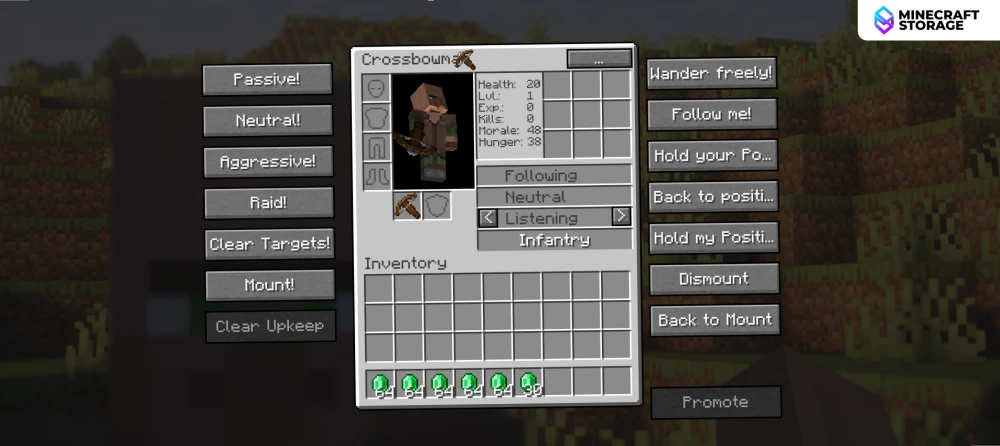
You can right-click on a recruit to open up their GUI. This GUI gives you full control over the behavior of the recruit and also provides you access to their inventories. Use this inventory to equip your recruits with armor, food, weapons and shields.
The Command Screen
You can press and hold down the R-key to open up the command screen. If you have multiple recruits hired, you can use this command screen to control them all at once. The command screen itself has three different tabs, which can be cycled through using the mouse scroll wheel.
Combat Commands
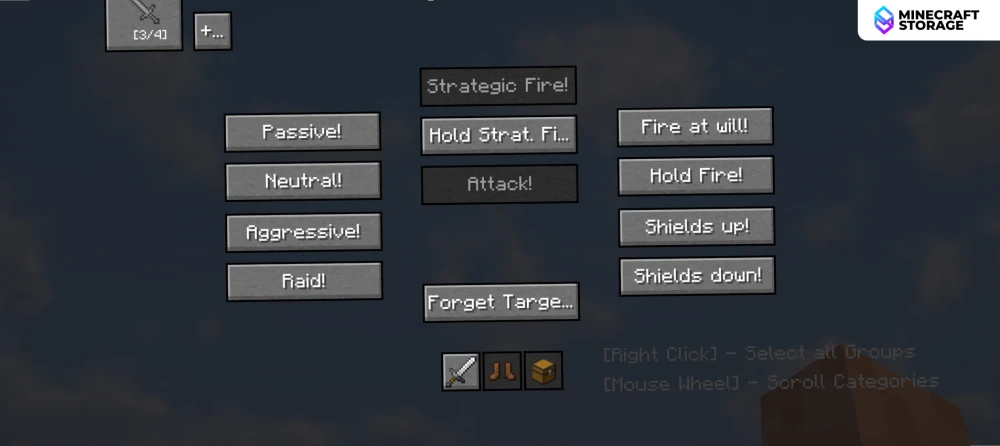
These are controls that help strategize different attack plans. This includes army behavior, attack patterns, shield status, etc. All of the buttons provided are very intuitive and they have tooltips that appear when you hover your cursor over them.
Movement Commands
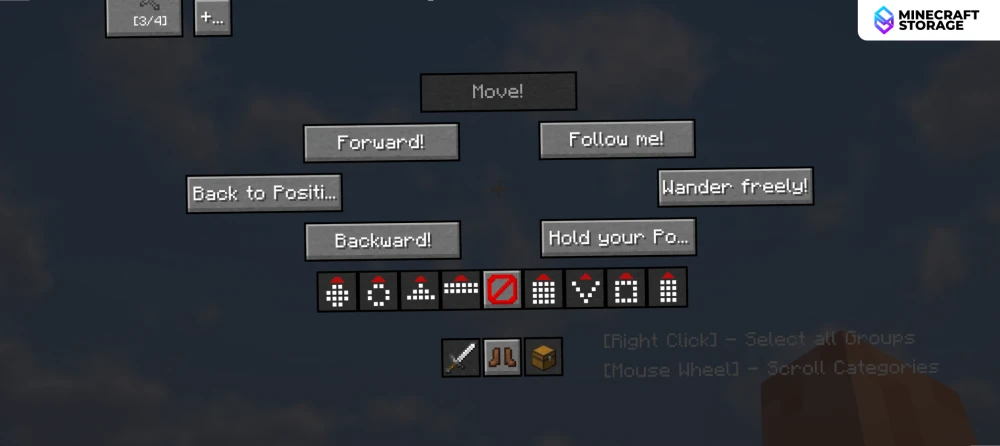
The movement commands help determine how your army moves through the world. You have the options to move them forward, backward, towards you, hold positions, etc. Options are also provided to make the army for certain formations.
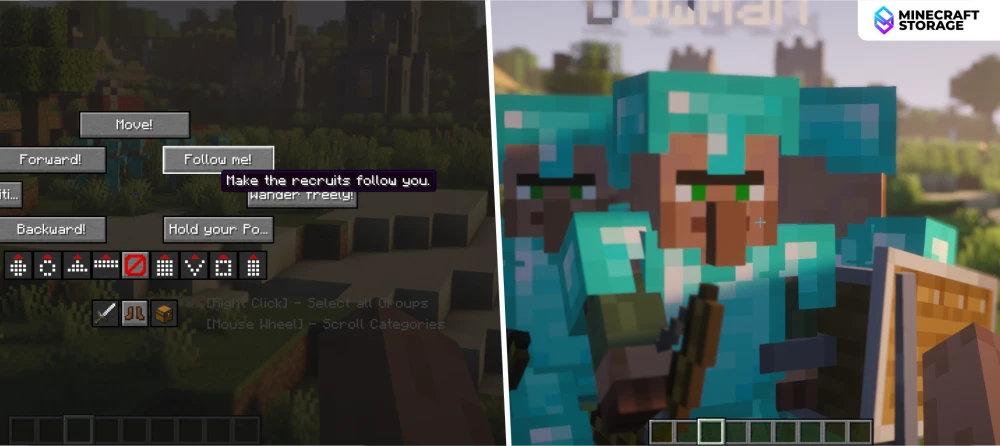
For example, you can press the "Follow me!" button to make all recruits follow you around wherever you go. The "Forward!" button makes all recruits move forward by about 10 blocks from their current position, and the "Backward!" makes them move backward by 10 blocks from their current position.
Other Commands
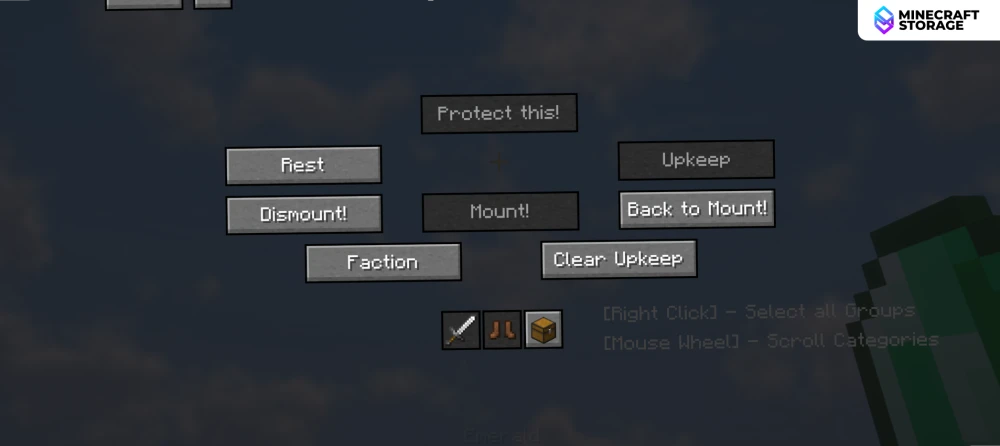
This tab includes commands for making your troops rest, open up the faction settings, etc. You will have to access this tab whenever you need to create or edit factions.
Recruit Gear
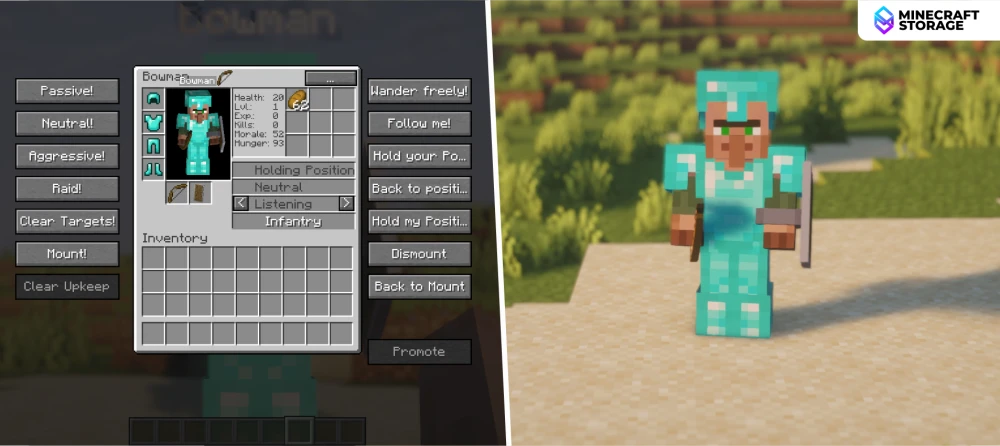
Press ctrl + right-click on a recruit to open up their GUI. As seen in the image above, this screen has a central section containing the recruit inventory, along with many buttons on either side. The recruit inventory is used to equip the recruit with armor, weapons, shields and food. The buttons on the left help set the attack behavior of the recruit, while the buttons on the right will let you set the physical movement of the recruit.
Formations
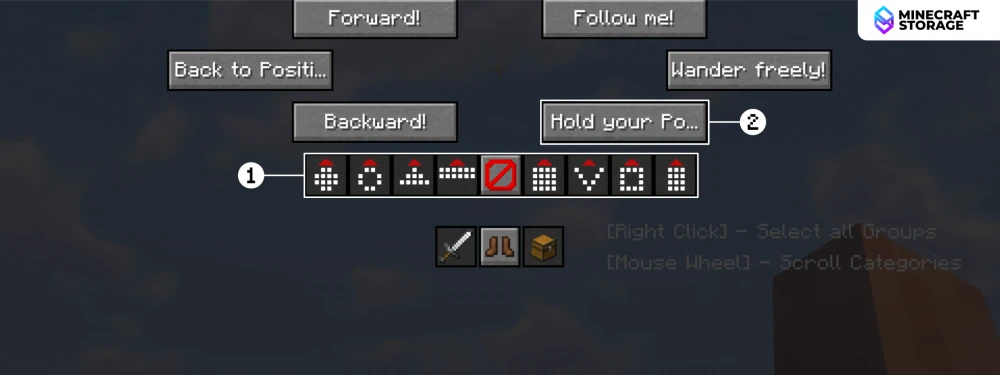
Within the movement commands screen (discusses above), you will find certain buttons with patterns on them. These are formation buttons. Click on a formation, and then press one of the hold position buttons, and your troops will form the selected formation. This is very crucial for strategic warfare.
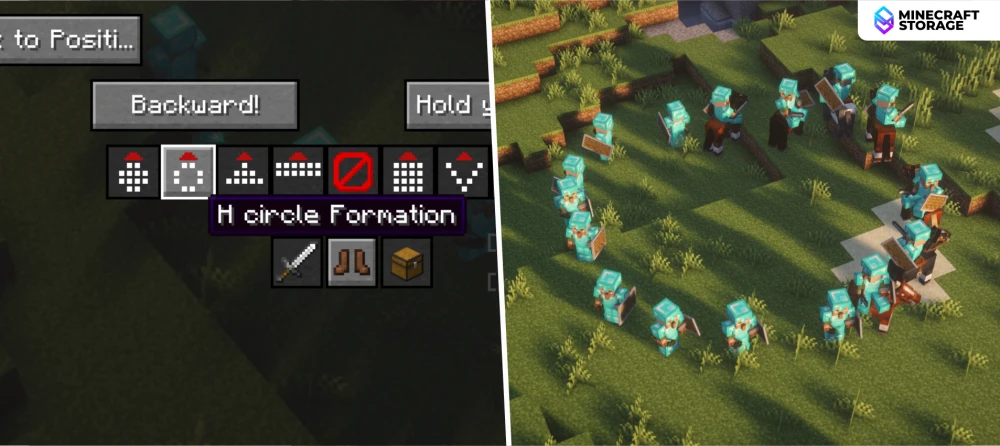
The above image shows the H Circle Formation in action. As you can see, all the troops coordinate and form a circle. Circling around an enemy in this way will make them defenceless, as attacks come from all sides.
Claiming a Faction
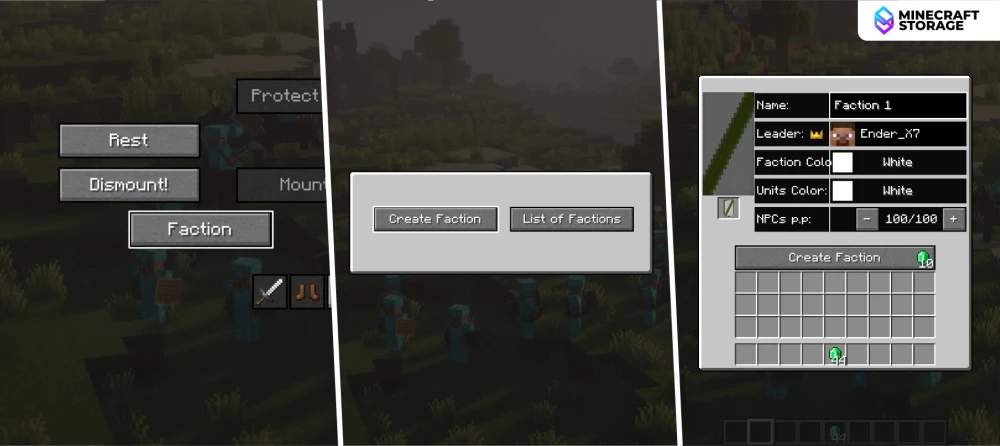
Within the Other Commands tab, you will find the button to open up faction settings. Click on the Faction button > Create Faction. This will open up the interface to create a faction. Creating a faction required 10 emeralds and a banner with a pattern applied on it. If these requirements are met, click on the Create Faction button.
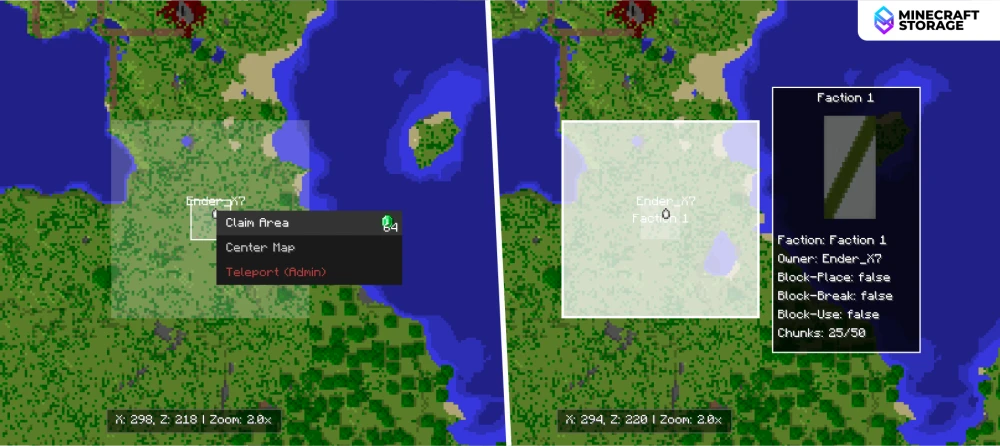
Clicking on the Create Factions button will open up a map of your world. From here, you can select an initial 5x5 chunk area as your faction. This costs 64 emeralds. Once purchased, the semi-transparent box shows the area you have claimed. This screen also shows areas claimed by other players. You can mark other player's territory as "ally", "neutral" or "hostile".
Ally: Your recruits will never target their players or soldiers.
Neutral: Your recruits will not attack them unless you explicitly order them to do so.
Hostile (Enemy): Your recruits will attack their soldiers and players on sight, even if your army is set to a "Neutral" stance.
Expanding Factions
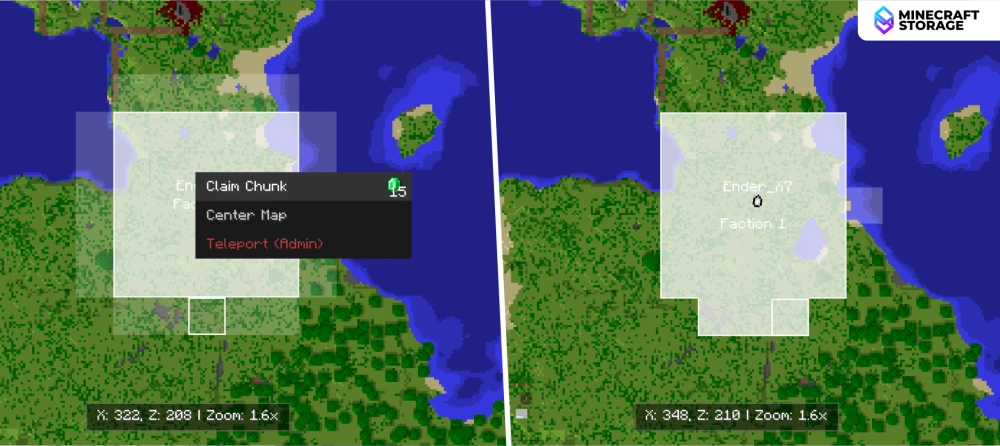
You can further expand your faction by purchasing more chunks using emeralds. Expansion chunks are available only adjacent to your currently claimed chunks. You can also create multiple factions if you desire.
Faction Settings
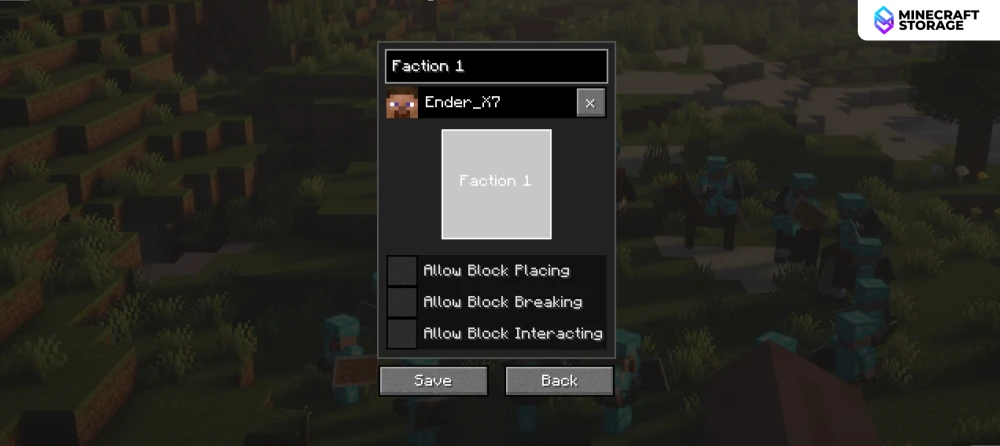
The mod also provides certain faction settings that will help prevent other players from placing, breaking or interacting with the blocks within your faction. You can also rename your faction here.
Warfare
Declaring War
On multiplayer servers, you can declare war on enemy factions by marking their territory as "enemy" in the faction settings. To trigger the event, at least 10 of your units must enter the enemy's claimed chunk.
Winning a War
The logic is very simple - "10 troops for 10 minutes". This basically means that if you can deploy your troops into an enemy territory and if atleast ten members of your unit survive in the enemy territory for atleast ten minutes, you capture the territory.
Losing a War
When a war begins, both parties receive a notification. If your units within the enemy territory fall below ten at any point, the war is immediately stopped and you fail.
Teamwork and Alliances
Any other faction that also has the defender marked as an "Enemy" will automatically join the attackers. The first faction to initiate the siege becomes the new owner of the claim once the timer completes.
This guide has covered all the necessary basics required to play with this mod. If strategy and warfare genres interest you, definitely give this mod a try. Download using the links provided in the Downloads tab.
